Use Case

Every
Temperature
 Check Recorded, Verified, and Audit-Ready

Replace paper temperature logs with timestamped digital records, flag missed checks, and keep compliance records centralized. No backdated logs. No lost records. No scrambling before an audit.
2M+ users each month

Why Temperature Logging Fails at Scale
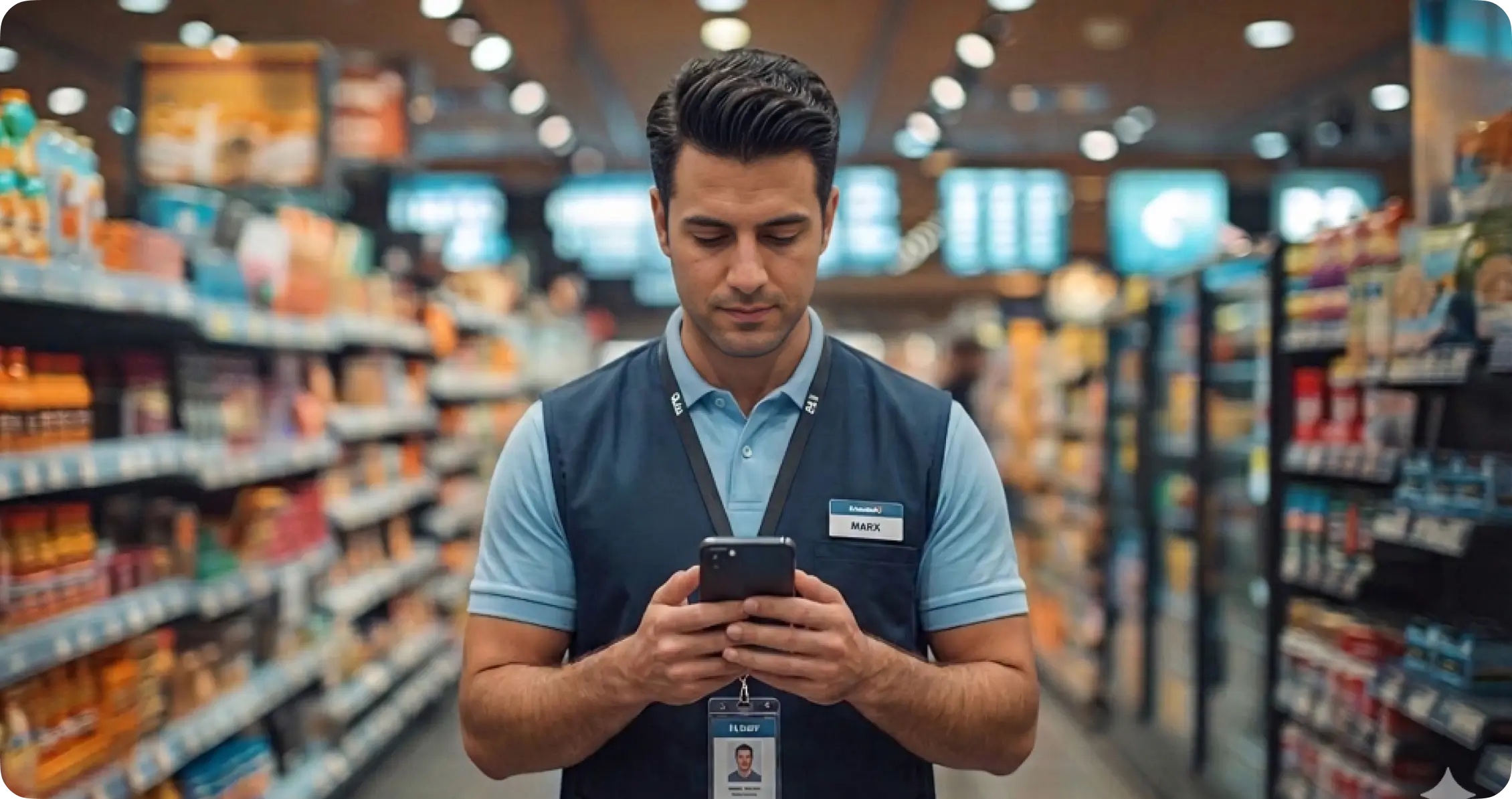
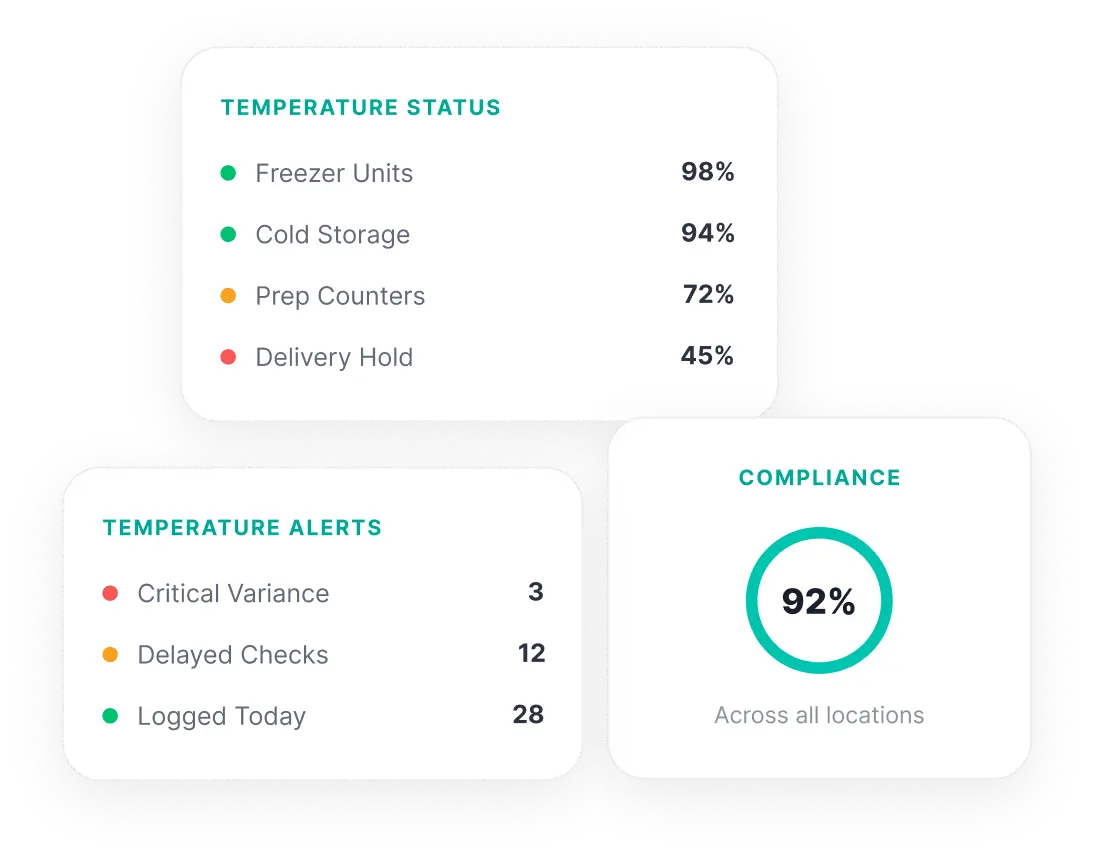
Checks Completed Today 87 | Overdue Checks 5 | Out-of-Range Readings 3 | Locations Missing Logs 2
0
proof of actual check time on a paper log
Paper temperature logs have no timestamps. Employees can backdate entries, fill in an entire day at once, or record readings that were never taken.
0
alerts when an out-of-range reading is written on paper
An employee records a reading outside the safe temperature range on paper. The form goes into a folder. No one is alerted. No corrective action is taken.
100%
of missed checks are invisible until the log is reviewed
When a temperature check is skipped, nothing on a paper log flags it. The gap only becomes visible when an auditor reviews the records, often weeks later.
Hours of manual compilation to gather paper logs for one audit
Temperature logs sit in filing cabinets at individual locations. Compiling records across sites for a regulatory compliance audit requires collecting and manually organizing paper from every location.

What Changes When Data Collection Goes Digital

See how teams operate before and after moving to digital temperature logging.

Without KNOW

With KNOW

Without KNOW

Paper logs can be backdated or filled in all at once with no proof of actual check time

With KNOW

Every reading is timestamped digitally on mobile, showing exactly when the check was completed

Without KNOW

Missed temperature checks are invisible until an auditor reviews the records

With KNOW

Automated reminders ensure checks happen at regular intervals, with alerts when a check is overdue

Without KNOW

Out-of-range readings sit on paper with no alert or follow-up

With KNOW

Out-of-range readings can trigger corrective action tasks assigned to the responsible employee

Without KNOW

Records are scattered across locations in filing cabinets, inaccessible centrally

With KNOW

All temperature data is stored centrally and accessible from one dashboard across every location

Without KNOW

Compiling logs for a compliance audit takes hours of manual collection

With KNOW

Compliance documentation is always ready, with complete digital records retrievable instantly

From Reading to Record in Seconds

See how frontline teams log temperature readings, flag issues, and maintain audit-ready records.
01
Schedule Recurring Temperature Checks
Set up temperature check schedules at regular intervals for every location. Automated reminders notify staff when a check is due.
02
Record Readings Digitally With Timestamps
Staff take the reading with their thermometer and log it on their mobile device. Every entry is timestamped, showing exactly when the check happened.
03
Flag Out-of-Range Readings for Corrective Action
When a reading falls outside the acceptable temperature range, a corrective action task can be assigned to the responsible employee with a deadline.
04
Access Complete Records Across All Locations
View all temperature data from every location on one dashboard. Track completion rates, identify missed checks, and pull compliance records instantly.

What Teams Actually Use KNOW For

Concrete scenarios where frontline teams log temperature readings across food service and storage operations.

<svg width="40" height="40" viewBox="0 0 40 40" fill="none" xmlns="http://www.w3.org/2000/svg">
<path d="M18.3359 10H35.0026" stroke="#7402FF" stroke-width="2.5" stroke-linecap="round"/>
<path d="M18.3359 20H35.0026" stroke="#7402FF" stroke-width="2.5" stroke-linecap="round"/>
<path d="M18.3359 30H35.0026" stroke="#7402FF" stroke-width="2.5" stroke-linecap="round"/>
<path d="M5 12.3266C5 12.3266 6.66667 13.413 7.5 15.0052C7.5 15.0052 10 8.75521 13.3333 6.67188" stroke="#7402FF" stroke-width="2.5" stroke-linecap="round"/>
<path d="M5 30.6548C5 30.6548 6.66667 31.7412 7.5 33.3333C7.5 33.3333 10 27.0833 13.3333 25" stroke="#7402FF" stroke-width="2.5" stroke-linecap="round"/>
</svg>

Walk-in Cooler Logs
Record cooler temperatures at regular intervals with timestamps and photo documentation per location.

<svg width="40" height="40" viewBox="0 0 40 40" fill="none" xmlns="http://www.w3.org/2000/svg">
<path d="M35 23.75L33.6148 22.6517C32.0383 21.4017 31.25 20.7767 31.25 20C31.25 19.2233 32.0383 18.5983 33.6148 17.3483L35 16.25M5 16.25L6.38525 17.3483C7.96175 18.5983 8.75 19.2233 8.75 20C8.75 20.7767 7.96175 21.4017 6.38525 22.6517L5 23.75" stroke="#7402FF" stroke-width="2.5" stroke-linecap="round" stroke-linejoin="round"/>
<path d="M24.2867 35L24.5473 33.2353C24.844 31.227 24.9922 30.2228 25.6702 29.831C26.3482 29.4392 27.291 29.8127 29.1767 30.5597L30.8337 31.216M15.714 5L15.4534 6.76467C15.1567 8.77298 15.0084 9.77715 14.3305 10.169C13.6525 10.5608 12.7096 10.1873 10.8239 9.44033L9.16699 8.78397" stroke="#7402FF" stroke-width="2.5" stroke-linecap="round" stroke-linejoin="round"/>
<path d="M8.33301 31.2195L10.1169 30.5625C12.147 29.8148 13.1621 29.4408 13.8917 29.8323C14.6213 30.2238 14.7804 31.2278 15.0987 33.2357L15.3784 35M31.6663 8.78042L29.8825 9.43748C27.8523 10.1852 26.8372 10.5591 26.1077 10.1677C25.3782 9.77618 25.219 8.77222 24.9007 6.76432L24.621 5" stroke="#7402FF" stroke-width="2.5" stroke-linecap="round" stroke-linejoin="round"/>
<path d="M31.6663 20.0005H8.33301M25.833 29.9997L14.1663 10M25.833 10.0004L14.1663 30" stroke="#7402FF" stroke-width="2.5" stroke-linejoin="round"/>
</svg>

Freezer Temperature Checks
Log freezer readings per shift, flag out-of-range temperatures, and maintain a digital compliance record.

<svg width="40" height="40" viewBox="0 0 40 40" fill="none" xmlns="http://www.w3.org/2000/svg">
<path d="M6.66797 23.3359H36.668" stroke="#7402FF" stroke-width="2.5" stroke-linecap="round" stroke-linejoin="round"/>
<path d="M8.33203 36.6693L9.88296 35.1183C10.7642 34.2371 11.2049 33.7964 11.7601 33.5459C12.3153 33.2953 12.9373 33.2564 14.1811 33.1788L19.6019 32.8399C22.266 32.6734 23.5982 32.5901 24.7704 32.0273C25.9427 31.4643 26.8405 30.4766 28.636 28.5014L33.332 23.3359H27.4987L24.5105 26.3241C24.3119 26.5228 24.2124 26.6223 24.109 26.7099C23.5774 27.1616 22.9174 27.4349 22.2222 27.4916C22.0869 27.5026 21.9464 27.5026 21.6654 27.5026M21.6654 27.5026C21.6654 26.7281 21.6654 26.3409 21.6014 26.0189C21.3384 24.6966 20.3047 23.6629 18.9824 23.3999C18.6604 23.3359 18.2732 23.3359 17.4987 23.3359H16.1962C14.4544 23.3359 13.5836 23.3359 12.7669 23.5459C12.1587 23.7023 11.5756 23.9438 11.0349 24.2633C10.309 24.6923 9.69318 25.3081 8.4616 26.5398L3.33203 31.6693M21.6654 27.5026H15.832" stroke="#7402FF" stroke-width="2.5" stroke-linecap="round" stroke-linejoin="round"/>
<path d="M8.33203 19.1693C8.33203 11.8055 14.3015 5.83594 21.6654 5.83594M21.6654 5.83594C29.0292 5.83594 34.9987 11.8055 34.9987 19.1693M21.6654 5.83594V3.33594" stroke="#7402FF" stroke-width="2.5" stroke-linecap="round" stroke-linejoin="round"/>
</svg>

Food Receiving Temperature Logs
Record incoming delivery temperatures at the point of receipt with photo evidence and timestamped entries.

<svg width="40" height="40" viewBox="0 0 40 40" fill="none" xmlns="http://www.w3.org/2000/svg">
<path d="M20.0003 36.6668C24.6027 36.6668 28.3337 32.9358 28.3337 28.3335C28.3337 25.6075 27.0248 23.1872 25.0012 21.6668V8.33431C25.0012 6.78041 25.0012 6.00346 24.7472 5.39063C24.4088 4.57435 23.7603 3.92578 22.944 3.58748C22.3312 3.3335 21.5542 3.3335 20.0003 3.3335C18.4465 3.3335 17.6695 3.3335 17.0567 3.58748C16.2404 3.92578 15.5918 4.57435 15.2535 5.39063C14.9995 6.00346 14.9995 6.78041 14.9995 8.33431V21.6668C12.9759 23.1872 11.667 25.6075 11.667 28.3335C11.667 32.9358 15.398 36.6668 20.0003 36.6668Z" stroke="#7402FF" stroke-width="2.5" stroke-linejoin="round"/>
<path d="M20.0003 25.0002C18.1593 25.0002 16.667 26.4925 16.667 28.3335C16.667 30.1745 18.1593 31.6668 20.0003 31.6668C21.8413 31.6668 23.3337 30.1745 23.3337 28.3335C23.3337 26.4925 21.8413 25.0002 20.0003 25.0002ZM20.0003 25.0002V13.3335" stroke="#7402FF" stroke-width="2.5" stroke-linecap="round" stroke-linejoin="round"/>
</svg>

Hot Holding Temperature Checks
Verify hot-held food items remain within the safe temperature range throughout service periods.

<svg width="40" height="40" viewBox="0 0 40 40" fill="none" xmlns="http://www.w3.org/2000/svg">
<path d="M29.1667 36.6693C32.8485 36.6693 35.8333 33.6844 35.8333 30.0026C35.8333 28.2251 35.1378 26.6103 34.004 25.4151C33.1595 24.5249 32.7372 24.0798 32.6187 23.7824C32.5 23.4851 32.5 23.0918 32.5 22.3051V6.66927C32.5 4.82832 31.0077 3.33594 29.1667 3.33594C27.3257 3.33594 25.8333 4.82832 25.8333 6.66927V22.3051C25.8333 23.0918 25.8333 23.4851 25.7147 23.7824C25.5962 24.0798 25.1738 24.5249 24.3293 25.4151C23.1955 26.6103 22.5 28.2251 22.5 30.0026C22.5 33.6844 25.4848 36.6693 29.1667 36.6693Z" stroke="#7402FF" stroke-width="2.5" stroke-linecap="round" stroke-linejoin="round"/>
<path d="M15.0771 8.33594V14.4297M15.0771 14.4297V23.9089M15.0771 14.4297L18.4861 11.0443M15.0771 14.4297L11.668 11.0443M15.0771 23.9089L15.0771 30.0026M15.0771 23.9089L11.668 27.2943M15.0771 23.9089L18.4861 27.2943M6.89524 15.7839L10.3043 19.1693M10.3043 19.1693L6.89524 22.5546M10.3043 19.1693H19.168M10.3043 19.1693H4.16797" stroke="#7402FF" stroke-width="2.5" stroke-linecap="round" stroke-linejoin="round"/>
</svg>

Cold Holding Temperature Checks
Log cold holding temperatures at regular intervals during service to maintain food safety compliance.

<svg width="40" height="40" viewBox="0 0 40 40" fill="none" xmlns="http://www.w3.org/2000/svg">
<path d="M24.1595 1.33594H15.8262C14.4455 1.33594 13.3262 2.45522 13.3262 3.83594C13.3262 5.21664 14.4455 6.33594 15.8262 6.33594H24.1595C25.5402 6.33594 26.6595 5.21664 26.6595 3.83594C26.6595 2.45522 25.5402 1.33594 24.1595 1.33594Z" stroke="#7402FF" stroke-width="2.5" stroke-linecap="round" stroke-linejoin="round"/>
<path d="M26.6602 3.83594C29.2493 3.91395 30.7935 4.20272 31.8623 5.27154C33.3268 6.736 33.3268 9.09299 33.3268 13.807V24.6683C33.3268 29.3825 33.3268 31.7395 31.8623 33.204C30.3978 34.6683 28.0408 34.6683 23.3268 34.6683H16.6602C11.9461 34.6683 9.58911 34.6683 8.12464 33.204C6.66017 31.7395 6.66017 29.3825 6.66016 24.6685L6.66019 13.8071C6.66017 9.09302 6.66017 6.73599 8.12464 5.27152C9.19344 4.2027 10.7377 3.91395 13.3267 3.83594" stroke="#7402FF" stroke-width="2.5" stroke-linecap="round" stroke-linejoin="round"/>
<path d="M12.4941 16.336L14.1608 18.0027L17.4942 13.8359" stroke="#7402FF" stroke-width="2.5" stroke-linecap="round" stroke-linejoin="round"/>
<path d="M21.6602 26.3359H26.6602M21.6602 16.3359H26.6602" stroke="#7402FF" stroke-width="2.5" stroke-linecap="round" stroke-linejoin="round"/>
<path d="M14.1426 26.1172H14.1592" stroke="#7402FF" stroke-width="2.5" stroke-linecap="round" stroke-linejoin="round"/>
</svg>

Preparation Area Temperature Logs
Record prep area conditions before food preparation begins with timestamped digital entries.

<svg width="40" height="40" viewBox="0 0 40 40" fill="none" xmlns="http://www.w3.org/2000/svg">
<path d="M16.667 15V18.3333" stroke="#7402FF" stroke-width="2.5" stroke-linecap="round"/>
<path d="M28.3333 33.3307C30.1743 33.3307 31.6667 31.8383 31.6667 29.9974C31.6667 28.1564 30.1743 26.6641 28.3333 26.6641C26.4924 26.6641 25 28.1564 25 29.9974C25 31.8383 26.4924 33.3307 28.3333 33.3307Z" stroke="#7402FF" stroke-width="2.5"/>
<path d="M11.6663 33.3307C13.5073 33.3307 14.9997 31.8383 14.9997 29.9974C14.9997 28.1564 13.5073 26.6641 11.6663 26.6641C9.82539 26.6641 8.33301 28.1564 8.33301 29.9974C8.33301 31.8383 9.82539 33.3307 11.6663 33.3307Z" stroke="#7402FF" stroke-width="2.5"/>
<path d="M8.33301 29.9514C6.50514 29.8604 5.36484 29.5884 4.55339 28.7771C3.33301 27.5566 3.33301 25.5924 3.33301 21.6641V14.9974C3.33301 11.069 3.33301 9.10485 4.55339 7.88445C5.77379 6.66406 7.73797 6.66406 11.6663 6.66406H17.1663C19.0277 6.66406 19.9583 6.66406 20.7115 6.90878C22.2337 7.40336 23.427 8.5968 23.9217 10.119C24.1663 10.8721 24.1663 11.8028 24.1663 13.6641C24.1663 14.9049 24.1663 15.5253 24.3295 16.0274C24.6592 17.0422 25.4548 17.8379 26.4697 18.1676C26.9717 18.3307 27.5922 18.3307 28.833 18.3307H36.6663V21.6641C36.6663 25.5924 36.6663 27.5566 35.446 28.7771C34.6345 29.5884 33.4942 29.8604 31.6663 29.9514M14.9997 29.9974H24.9997" stroke="#7402FF" stroke-width="2.5" stroke-linecap="round" stroke-linejoin="round"/>
<path d="M24.167 10H27.2023C29.628 10 30.8407 10 31.8277 10.5895C32.8147 11.179 33.3897 12.2469 34.5397 14.3825L36.667 18.3333" stroke="#7402FF" stroke-width="2.5" stroke-linecap="round" stroke-linejoin="round"/>
<path d="M10 15V18.3333" stroke="#7402FF" stroke-width="2.5" stroke-linecap="round"/>
</svg>

Delivery Vehicle Temperature Records
Log vehicle storage temperatures before dispatch to verify cold chain compliance for outbound deliveries.

<svg width="40" height="40" viewBox="0 0 40 40" fill="none" xmlns="http://www.w3.org/2000/svg">
<path d="M5 16.6668C5 10.3814 5 7.23875 6.95262 5.28611C8.90525 3.3335 12.0479 3.3335 18.3333 3.3335H21.6667C27.952 3.3335 31.0948 3.3335 33.0473 5.28611C35 7.23875 35 10.3814 35 16.6668V26.6668H5V16.6668Z" stroke="#7402FF" stroke-width="2.5" stroke-linejoin="round"/>
<path d="M3.33301 26.6665H36.6663" stroke="#7402FF" stroke-width="2.5" stroke-linecap="round"/>
<path d="M6.66699 36.6665L11.667 26.6665" stroke="#7402FF" stroke-width="2.5" stroke-linecap="round"/>
<path d="M33.333 36.6665L28.333 26.6665" stroke="#7402FF" stroke-width="2.5" stroke-linecap="round"/>
<path d="M20 33.3332V26.6665" stroke="#7402FF" stroke-width="2.5" stroke-linecap="round" stroke-linejoin="round"/>
</svg>

Display Case Temperature Checks
Record display case temperatures at regular intervals to ensure customer-facing food items remain in safe ranges.

What Our
Customers
Say

"KNOW is a divine source/tool for us for tightening communication and ensuring that everyone stays aligned with our company's goals. With all information at our fingertips, we have such ease in making sure that everything in the company is in the KNOW of the latest updates!"that everyone stays aligned..."
Domino’s Pizza
"KNOW has been the most efficient tool for tightening communication and ensuring that everyone stays aligned..."
Adidas
"The KNOW app is instrumental to help improve performance and interactions at restaurants, in an inspiring environment..."
OLA
"The KNOW app is revolutionizing the experience of our frontline spaces."
APMC Head of Open Foodposts
"KNOW is a divine source/tool for us for tightening communication and ensuring that everyone stays aligned with our company's goals. With all information at our fingertips, we have such ease in making sure that everything in the company is in the KNOW of the latest updates!"that everyone stays aligned..."
Domino’s Pizza
"KNOW has been the most efficient tool for tightening communication and ensuring that everyone stays aligned..."
Adidas
"The KNOW app is instrumental to help improve performance and interactions at restaurants, in an inspiring environment..."
OLA
"The KNOW app is revolutionizing the experience of our frontline spaces."
APMC Head of Open Foodposts

Frequently Asked Questions
?

1. What is a temperature log?

A record of temperature readings taken at regular intervals for food safety and regulatory compliance. KNOW digitizes these logs so every reading is timestamped, stored centrally, and audit-ready.

2. How often should food temperatures be recorded?

Most HACCP guidelines require checks every 2 to 4 hours for cold and hot holding, and at receiving for deliveries. KNOW schedules recurring checks at any interval with automated reminders.

3. How do you fill a temperature log using KNOW?

Take the reading with a thermometer, open the digital form on mobile, enter the reading, and submit. The entry is automatically timestamped. If out of range, a corrective action task can be assigned immediately.

4. How long should you keep temperature logs?

Most regulations require one to two years of records. KNOW stores all temperature data digitally on one dashboard, eliminating physical filing and making retrieval instant for any audit.

5. Does HACCP require temperature checks?

Yes. HACCP requires monitoring at critical control points, and temperature is the most common. KNOW supports this with digital forms, timestamped entries, recurring schedules, and corrective action tracking for out-of-range readings.

6. How do you monitor fridge and freezer temperatures for compliance?

Staff use a calibrated thermometer, then record the reading on KNOW. Checks are scheduled at recurring intervals with reminders. Every entry is timestamped, and all records are accessible from one centralized dashboard.

7. How do you maintain temperature compliance across multiple locations?

KNOW deploys standardized log forms across all sites, schedules recurring checks, and tracks completion from one dashboard. Managers see which locations submitted on time and which have gaps.

8. Can KNOW replace paper temperature logs?

Yes. Every reading is timestamped, stored centrally, and audit-ready. Recurring schedules ensure checks happen on time. Unlike paper, digital entries cannot be backdated, giving auditors verifiable proof of when each check was conducted.
See More