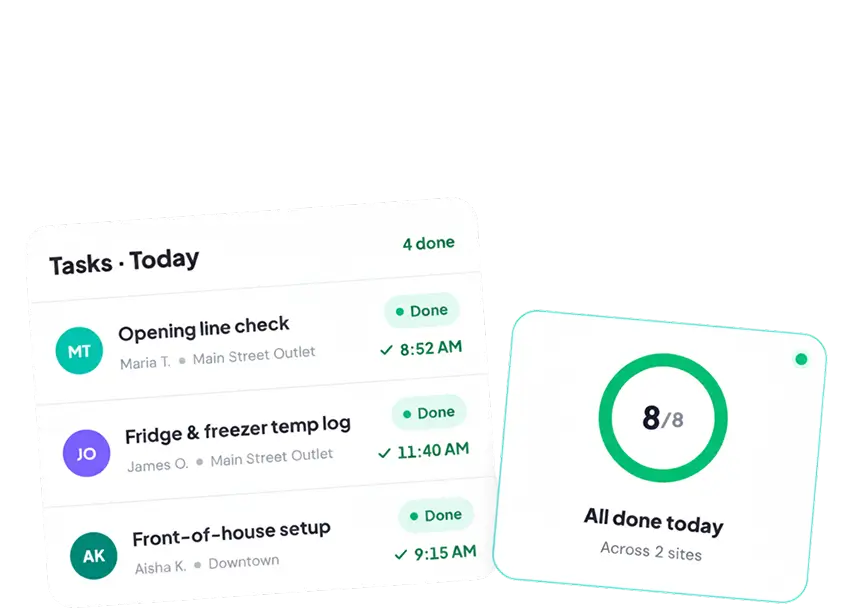
task management software

Get the right work done at every site


KNOW turns daily work into clear, owned tasks with deadlines and reminders, so nothing gets missed and no one spends the day chasing status.
2M+ users use KNOW
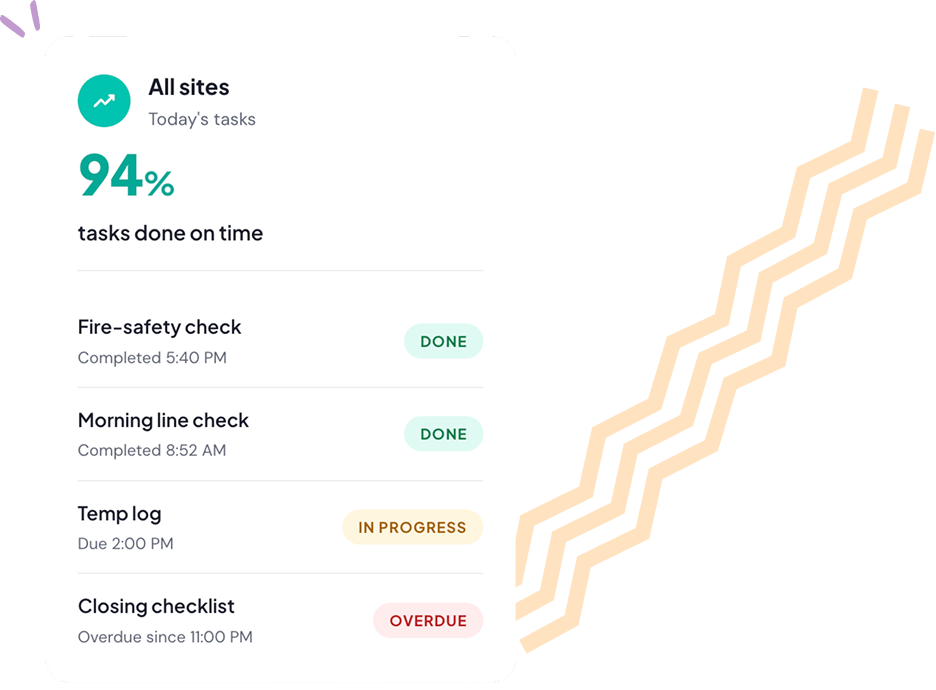
94%
tasks done on time

See how a task goes from assigned to done
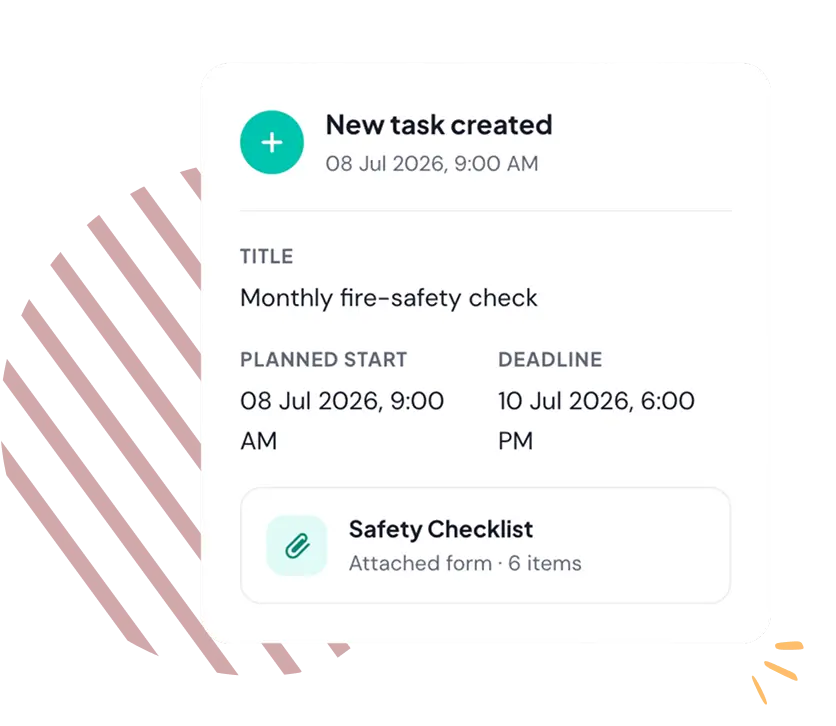
From a single job to a company-wide rollout, here's how work moves through KNOW, nothing missed, no chasing.
Every job becomes a structured task
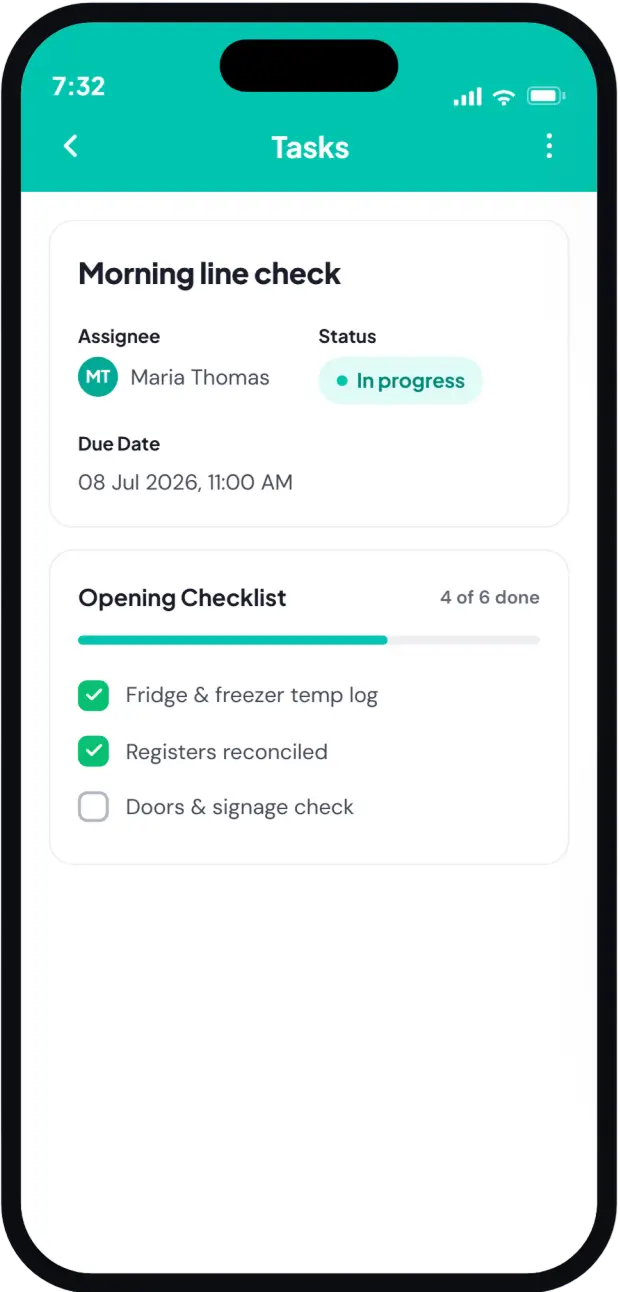
A daily routine, a one-off fix, or a company-wide rollout turns into a clear task, with the steps, form, and proof it needs built in.
It reaches the right people, everywhere
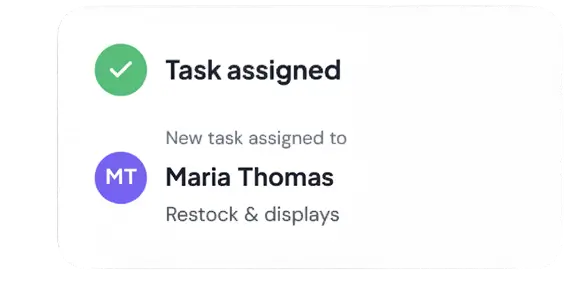
Send it to one person, a team, or every location at once, each with a named owner and a deadline, so nothing sits unassigned and rollouts take minutes.
The work gets done on the floor
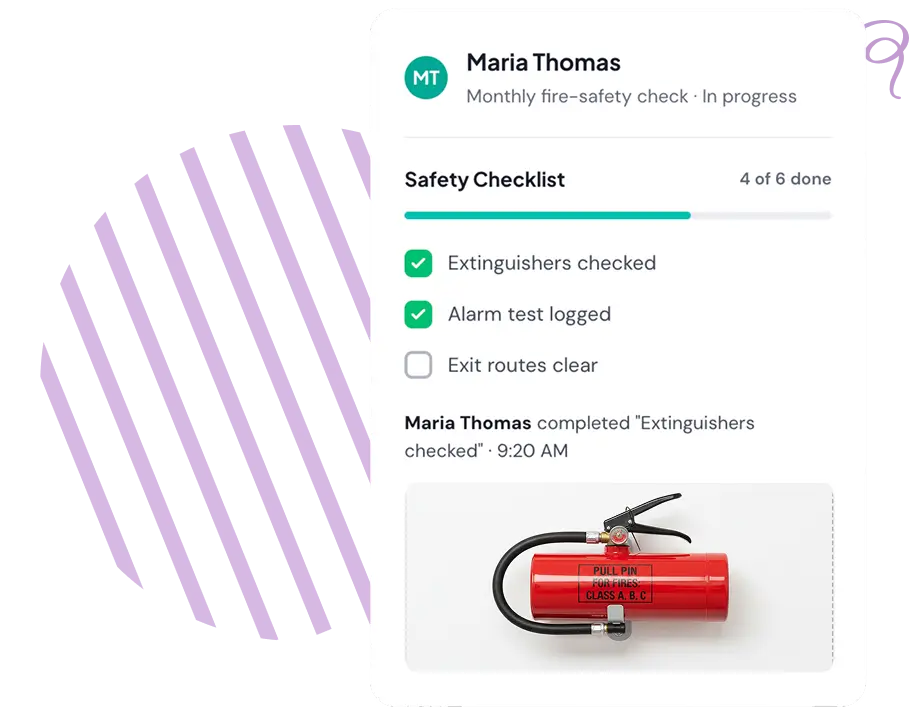
It lands on the right phones with a reminder; staff complete it and add a photo or a filled form, so "done" actually means done.
You see it through to done
Track every task from Not Started to Done, with completion times across all sites, and late work flags itself, so there's nothing to chase.

What changes when tasks 
run on KNOW
When tasks stop living in group chats and spreadsheets, the whole operation runs tighter.
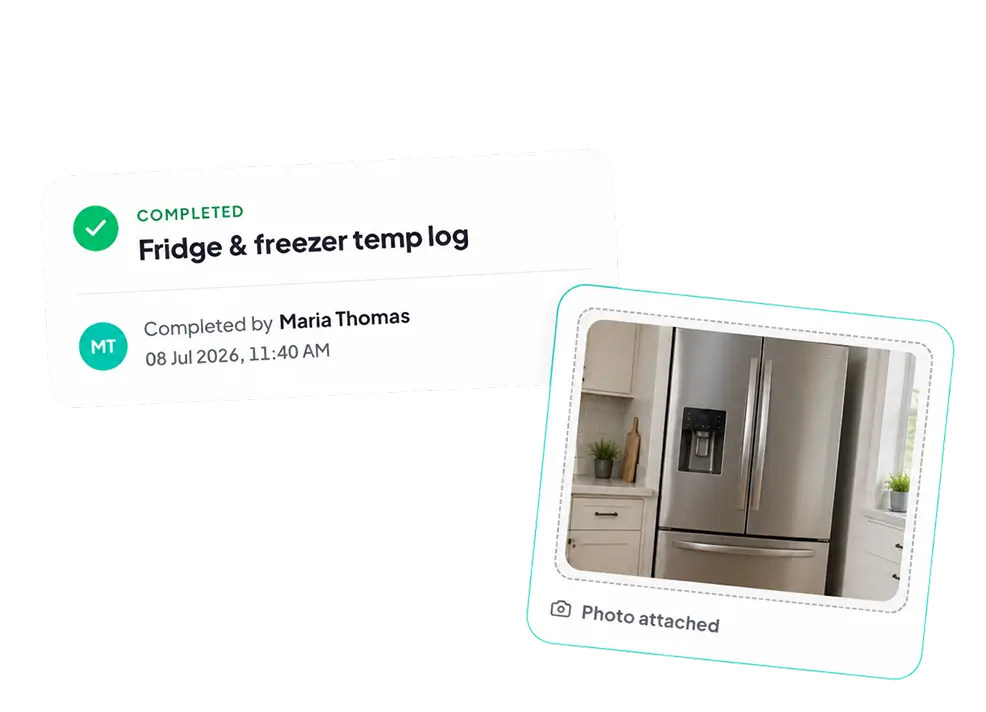
Every task closed out - who did it, and exactly when, across both sites.

<svg width="24" height="24" viewBox="0 0 24 24" fill="none" xmlns="http://www.w3.org/2000/svg">
<path d="M11 6H21" stroke="#141B34" stroke-width="1.5" stroke-linecap="round"/>
<path d="M11 12H21" stroke="#141B34" stroke-width="1.5" stroke-linecap="round"/>
<path d="M11 18H21" stroke="#141B34" stroke-width="1.5" stroke-linecap="round"/>
<path d="M3 7.39286C3 7.39286 4 8.04466 4.5 9C4.5 9 6 5.25 8 4" stroke="#141B34" stroke-width="1.5" stroke-linecap="round" stroke-linejoin="round"/>
<path d="M3 18.3929C3 18.3929 4 19.0447 4.5 20C4.5 20 6 16.25 8 15" stroke="#141B34" stroke-width="1.5" stroke-linecap="round" stroke-linejoin="round"/>
</svg>

The work gets done everywhere
Completion stops depending on which manager happens to be on. Because every task is owned, timed, and followed up, the execution you get at your best location becomes the baseline across all of them.

<svg width="24" height="24" viewBox="0 0 24 24" fill="none" xmlns="http://www.w3.org/2000/svg">
<path d="M2.5 12C2.5 7.52165 2.5 5.28248 3.89124 3.89124C5.28249 2.5 7.52166 2.5 12 2.5C16.4783 2.5 18.7175 2.5 20.1088 3.89124C21.5 5.28248 21.5 7.52165 21.5 12C21.5 16.4784 21.5 18.7175 20.1088 20.1088C18.7175 21.5 16.4783 21.5 12 21.5C7.52166 21.5 5.28249 21.5 3.89124 20.1088C2.5 18.7175 2.5 16.4784 2.5 12Z" stroke="#141B34" stroke-width="1.5"/>
<path d="M2.5 9H21.5" stroke="#141B34" stroke-width="1.5" stroke-linejoin="round"/>
<path d="M7 6H7.00898" stroke="#141B34" stroke-width="2" stroke-linecap="round" stroke-linejoin="round"/>
<path d="M11 6H11.009" stroke="#141B34" stroke-width="2" stroke-linecap="round" stroke-linejoin="round"/>
<path d="M17 17C17 14.2386 14.7614 12 12 12C9.23858 12 7 14.2386 7 17" stroke="#141B34" stroke-width="1.5" stroke-linecap="round"/>
<path d="M12.7072 15.293L11.293 16.7072" stroke="#141B34" stroke-width="1.5" stroke-linecap="round" stroke-linejoin="round"/>
</svg>

Managers lead instead of chase
Managers spend less of the shift chasing updates. Instead of texting around to see what's done, they can check it themselves and put that time toward customers and coaching.

<svg width="24" height="24" viewBox="0 0 24 24" fill="none" xmlns="http://www.w3.org/2000/svg">
<path d="M15 20.3331C15 20.3331 15.875 20.3331 16.75 21.9998C16.75 21.9998 19.5294 17.8331 22 16.9998" stroke="#141B34" stroke-width="1.5" stroke-linecap="round" stroke-linejoin="round"/>
<path d="M12 7.99976V11.9998L14 13.9998" stroke="#141B34" stroke-width="1.5" stroke-linecap="round" stroke-linejoin="round"/>
<path d="M21.9506 13C21.9833 12.6711 22 12.3375 22 12C22 6.47715 17.5228 2 12 2C6.47715 2 2 6.47715 2 12C2 17.1853 5.94668 21.4489 11 21.9506" stroke="#141B34" stroke-width="1.5" stroke-linecap="round" stroke-linejoin="round"/>
</svg>

Every site runs the latest process
Rolling out a new SOP, promo, or safety step is far simpler than emailing every location and hoping. So the change you make at head office is what's actually happening on the floor.
Ask what happened - the answer's already logged, right down to the photo.

<svg width="24" height="24" viewBox="0 0 24 24" fill="none" xmlns="http://www.w3.org/2000/svg">
<path d="M14.4961 2H9.49609C8.66767 2 7.99609 2.67157 7.99609 3.5C7.99609 4.32842 8.66767 5 9.49609 5H14.4961C15.3245 5 15.9961 4.32842 15.9961 3.5C15.9961 2.67157 15.3245 2 14.4961 2Z" stroke="#141B34" stroke-width="1.5" stroke-linecap="round" stroke-linejoin="round"/>
<path d="M15.9961 3.5C17.5496 3.54681 18.4761 3.72007 19.1174 4.36136C19.9961 5.24004 19.9961 6.65423 19.9961 9.48263V15.9994C19.9961 18.8279 19.9961 20.2421 19.1174 21.1208C18.2387 21.9994 16.8245 21.9994 13.9961 21.9994H9.99609C7.16767 21.9994 5.75346 21.9994 4.87478 21.1208C3.9961 20.2421 3.9961 18.8279 3.99609 15.9995L3.99611 9.48268C3.9961 6.65425 3.9961 5.24003 4.87478 4.36135C5.51606 3.72006 6.44261 3.54681 7.99599 3.5" stroke="#141B34" stroke-width="1.5" stroke-linecap="round" stroke-linejoin="round"/>
<path d="M7.49609 11L8.49609 12L10.4961 9.5" stroke="#141B34" stroke-width="1.5" stroke-linecap="round" stroke-linejoin="round"/>
<path d="M12.9961 17H15.9961M12.9961 11H15.9961" stroke="#141B34" stroke-width="1.5" stroke-linecap="round" stroke-linejoin="round"/>
<path d="M8.48828 16.8672H8.49828" stroke="#141B34" stroke-width="1.5" stroke-linecap="round" stroke-linejoin="round"/>
</svg>

You always know what happened
Every completed task leaves a clean, timestamped record, with photos where it matters. So when head office, a client, or an inspector asks, you already have the answer

What this means for
Your Team

<svg width="40" height="40" viewBox="0 0 40 40" fill="none" xmlns="http://www.w3.org/2000/svg">
<path d="M14.3815 21.1227H13.6166C11.1437 21.1227 9.90727 21.1227 9.38023 20.3073C8.8532 19.4922 9.35537 18.3563 10.3597 16.0847L13.3791 9.25538C14.2922 7.19 14.7488 6.1573 15.6346 5.57865C16.5203 5 17.6445 5 19.893 5H23.3753C26.1066 5 27.4723 5 27.9873 5.89225C28.5025 6.7845 27.825 7.97647 26.4698 10.3604L24.6833 13.5031C24.0096 14.6882 23.6728 15.2808 23.6775 15.7659C23.6836 16.3963 24.0188 16.977 24.5603 17.295C24.977 17.5398 25.6558 17.5398 27.0136 17.5398C28.7301 17.5398 29.5885 17.5398 30.0355 17.837C30.6161 18.223 30.9201 18.9137 30.8136 19.6053C30.7316 20.1377 30.1543 20.776 28.9996 22.0528L19.7745 32.2538C17.9625 34.2575 17.0565 35.2593 16.4481 34.9423C15.8397 34.6252 16.1318 33.3037 16.7161 30.6603L17.8608 25.4827C18.3056 23.47 18.5281 22.4637 17.9931 21.7932C17.4581 21.1227 16.4326 21.1227 14.3815 21.1227Z" stroke="#7402FF" stroke-width="2.5" stroke-linejoin="round"/>
</svg>

On-Time Completion
Every job becomes a task with a named owner and a deadline. Reminders land on the right phone, and late work flags itself, so a missed task surfaces on the day, not a week later.

<svg width="40" height="40" viewBox="0 0 40 40" fill="none" xmlns="http://www.w3.org/2000/svg">
<path d="M4.16797 19.9993C4.16797 12.5354 4.16797 8.80348 6.4867 6.48475C8.80545 4.16602 12.5374 4.16602 20.0013 4.16602C27.4651 4.16602 31.1971 4.16602 33.516 6.48475C35.8346 8.80348 35.8346 12.5354 35.8346 19.9993C35.8346 27.4633 35.8346 31.1952 33.516 33.514C31.1971 35.8327 27.4651 35.8327 20.0013 35.8327C12.5374 35.8327 8.80545 35.8327 6.4867 33.514C4.16797 31.1952 4.16797 27.4633 4.16797 19.9993Z" stroke="#7402FF" stroke-width="2.5"/>
<path d="M4.16797 15H35.8346" stroke="#7402FF" stroke-width="2.5" stroke-linejoin="round"/>
<path d="M11.668 10H11.6829" stroke="#7402FF" stroke-width="3.33333" stroke-linecap="round" stroke-linejoin="round"/>
<path d="M18.332 10H18.347" stroke="#7402FF" stroke-width="3.33333" stroke-linecap="round" stroke-linejoin="round"/>
<path d="M28.3346 28.3333C28.3346 23.731 24.6036 20 20.0013 20C15.3989 20 11.668 23.731 11.668 28.3333" stroke="#7402FF" stroke-width="2.5" stroke-linecap="round"/>
<path d="M21.1773 25.4883L18.8203 27.8453" stroke="#7402FF" stroke-width="2.5" stroke-linecap="round" stroke-linejoin="round"/>
</svg>

Complete Visibility
One dashboard shows every task across all sites, with status, owner, and completion time. No chasing updates or texting around to find out what's actually been done.

<svg width="40" height="40" viewBox="0 0 40 40" fill="none" xmlns="http://www.w3.org/2000/svg">
<path d="M28.332 29.9993V26.666" stroke="#7402FF" stroke-width="2.5" stroke-linecap="round"/>
<path d="M20 30V25" stroke="#7402FF" stroke-width="2.5" stroke-linecap="round"/>
<path d="M11.668 29.9993V21.666" stroke="#7402FF" stroke-width="2.5" stroke-linecap="round"/>
<path d="M10 11.666C15.3284 17.1132 22.0563 18.4682 28.5688 16.6524M26.1468 14.1182L29.6028 15.8133C30.0127 16.0144 30.1233 16.4798 29.85 16.853L27.5448 19.9993" stroke="#7402FF" stroke-width="2.5" stroke-linecap="round"/>
<path d="M4.16797 19.9993C4.16797 12.5354 4.16797 8.8035 6.4867 6.48475C8.80545 4.16602 12.5374 4.16602 20.0013 4.16602C27.4651 4.16602 31.1971 4.16602 33.516 6.48475C35.8346 8.8035 35.8346 12.5354 35.8346 19.9993C35.8346 27.4632 35.8346 31.1952 33.516 33.514C31.1971 35.8327 27.4651 35.8327 20.0013 35.8327C12.5374 35.8327 8.80545 35.8327 6.4867 33.514C4.16797 31.1952 4.16797 27.4632 4.16797 19.9993Z" stroke="#7402FF" stroke-width="2.5" stroke-linecap="round"/>
</svg>

Consistent Execution
The routine that runs at your best location becomes the baseline everywhere. Every site works the same steps and checklists, so quality doesn't depend on who happens to be on shift.

<svg width="40" height="40" viewBox="0 0 40 40" fill="none" xmlns="http://www.w3.org/2000/svg">
<path d="M18.332 10H34.9987" stroke="#7402FF" stroke-width="2.5" stroke-linecap="round"/>
<path d="M18.332 20H34.9987" stroke="#7402FF" stroke-width="2.5" stroke-linecap="round"/>
<path d="M18.332 30H34.9987" stroke="#7402FF" stroke-width="2.5" stroke-linecap="round"/>
<path d="M5 12.3208C5 12.3208 6.66667 13.4071 7.5 14.9993C7.5 14.9993 10 8.74935 13.3333 6.66602" stroke="#7402FF" stroke-width="2.5" stroke-linecap="round"/>
<path d="M5 30.6548C5 30.6548 6.66667 31.7412 7.5 33.3333C7.5 33.3333 10 27.0833 13.3333 25" stroke="#7402FF" stroke-width="2.5" stroke-linecap="round"/>
</svg>

Clear Accountability
Every task is tied to a person, a time, and proof it was done, a photo or a filled form. There's no ambiguity about who owns what, and no manual follow-up to confirm it.

<svg width="40" height="40" viewBox="0 0 40 40" fill="none" xmlns="http://www.w3.org/2000/svg">
<path d="M23.3346 10.0007V30.0007C23.3346 30.7756 23.3346 31.1631 23.2495 31.481C23.0183 32.3438 22.3445 33.0176 21.4816 33.2488C21.1638 33.334 20.7763 33.334 20.0013 33.334C19.2263 33.334 18.8388 33.334 18.521 33.2488C17.6581 33.0176 16.9843 32.3438 16.7531 31.481C16.668 31.1631 16.668 30.7756 16.668 30.0007V10.0007C16.668 9.22565 16.668 8.83815 16.7531 8.52032C16.9843 7.65748 17.6581 6.98365 18.521 6.75248C18.8388 6.66732 19.2263 6.66732 20.0013 6.66732C20.7763 6.66732 21.1638 6.66732 21.4816 6.75248C22.3445 6.98365 23.0183 7.65748 23.2495 8.52032C23.3346 8.83815 23.3346 9.22565 23.3346 10.0007Z" stroke="#7402FF" stroke-width="2.5" stroke-linecap="round" stroke-linejoin="round"/>
<path d="M34.9987 26.6673V30.0007C34.9987 30.7756 34.9987 31.1631 34.9135 31.481C34.6824 32.3438 34.0085 33.0176 33.1457 33.2488C32.8279 33.334 32.4404 33.334 31.6654 33.334C30.8904 33.334 30.5029 33.334 30.185 33.2488C29.3222 33.0176 28.6484 32.3438 28.4172 31.481C28.332 31.1631 28.332 30.7756 28.332 30.0007V26.6673C28.332 25.8923 28.332 25.5049 28.4172 25.1869C28.6484 24.3242 29.3222 23.6503 30.185 23.4192C30.5029 23.334 30.8904 23.334 31.6654 23.334C32.4404 23.334 32.8279 23.334 33.1457 23.4192C34.0085 23.6503 34.6824 24.3242 34.9135 25.1869C34.9987 25.5049 34.9987 25.8923 34.9987 26.6673Z" stroke="#7402FF" stroke-width="2.5" stroke-linecap="round" stroke-linejoin="round"/>
<path d="M11.6667 20.0007V30.0007C11.6667 30.7756 11.6667 31.1631 11.5815 31.481C11.3503 32.3438 10.6764 33.0176 9.81372 33.2488C9.4958 33.334 9.10832 33.334 8.33333 33.334C7.55835 33.334 7.17087 33.334 6.85295 33.2488C5.99022 33.0176 5.31635 32.3438 5.08518 31.481C5 31.1631 5 30.7756 5 30.0007V20.0007C5 19.2257 5 18.8382 5.08518 18.5203C5.31635 17.6575 5.99022 16.9837 6.85295 16.7525C7.17087 16.6673 7.55835 16.6673 8.33333 16.6673C9.10832 16.6673 9.4958 16.6673 9.81372 16.7525C10.6764 16.9837 11.3503 17.6575 11.5815 18.5203C11.6667 18.8382 11.6667 19.2257 11.6667 20.0007Z" stroke="#7402FF" stroke-width="2.5" stroke-linecap="round" stroke-linejoin="round"/>
</svg>

Faster Rollouts
Push a new SOP, promo, or safety step to every site in one action. The change you make at head office is what's actually running on the floor by the next shift, not an email you hope people read.

<svg width="40" height="40" viewBox="0 0 40 40" fill="none" xmlns="http://www.w3.org/2000/svg">
<path d="M27.3127 5L28.9842 6.62623C29.7309 7.35275 30.1042 7.71602 29.9727 8.02468C29.8414 8.33333 29.3134 8.33333 28.2574 8.33333H15.3224C8.7003 8.33333 3.33203 13.5567 3.33203 20C3.33203 22.4787 4.1265 24.777 5.4812 26.6667" stroke="#7402FF" stroke-width="2.5" stroke-linecap="round" stroke-linejoin="round"/>
<path d="M12.6859 35.0007L11.0146 33.3745C10.2679 32.6478 9.89455 32.2847 10.026 31.976C10.1574 31.6673 10.6853 31.6673 11.7413 31.6673H24.6763C31.2983 31.6673 36.6667 26.444 36.6667 20.0007C36.6667 17.522 35.8722 15.2237 34.5175 13.334" stroke="#7402FF" stroke-width="2.5" stroke-linecap="round" stroke-linejoin="round"/>
</svg>

Less Chasing for Managers
Managers stop texting around for status and check it themselves in seconds. That time goes back to customers and coaching instead of follow-ups.

Frequently Asked Questions
?

1. What is task management software?

Task management software helps teams create tasks, assign them, set due dates, and track progress digitally. With KNOW, you can manage tasks from any device, assign them to individuals or groups, and monitor everything in real time. It replaces scattered methods like spreadsheets and paper checklists with one structured task management tool built for frontline teams.

2. Can I assign tasks to individuals and groups?

Yes. KNOW lets you assign tasks at an individual or group level and customize each task to match your operational needs. Whether it's individual tasks for a single team member or a batch assignment for an entire location, the task management app handles both.

3. Does KNOW's task management work offline?

Yes. The app works even without an internet connection. Your team can complete tasks on the floor, in the field, or on the go. Everything syncs automatically once you're back online.

4. How does KNOW help with team communication on tasks?

Every task in KNOW has a dedicated message thread, so all communication stays organized and tied to the right task. You can send messages, attach images, videos, and audio files for context, and annotate attachments to support collaboration with full clarity.

5. How do I track task progress and overdue items?

KNOW's dashboard gives you a real-time summary of all your tasks, showing what's in progress, overdue, and completed. Progress monitoring is built into every view, so managers can track tasks across teams and locations without chasing updates.

See More