Use Case

Every 
Leave Request
Submitted, Approved, and Tracked in One Place

Replace paper requests, verbal approvals, and scattered records with one system where employees request time off on mobile and managers approve in a few clicks, with complete visibility across locations.
2M+ users each month

Why Leave Management Fails at Scale

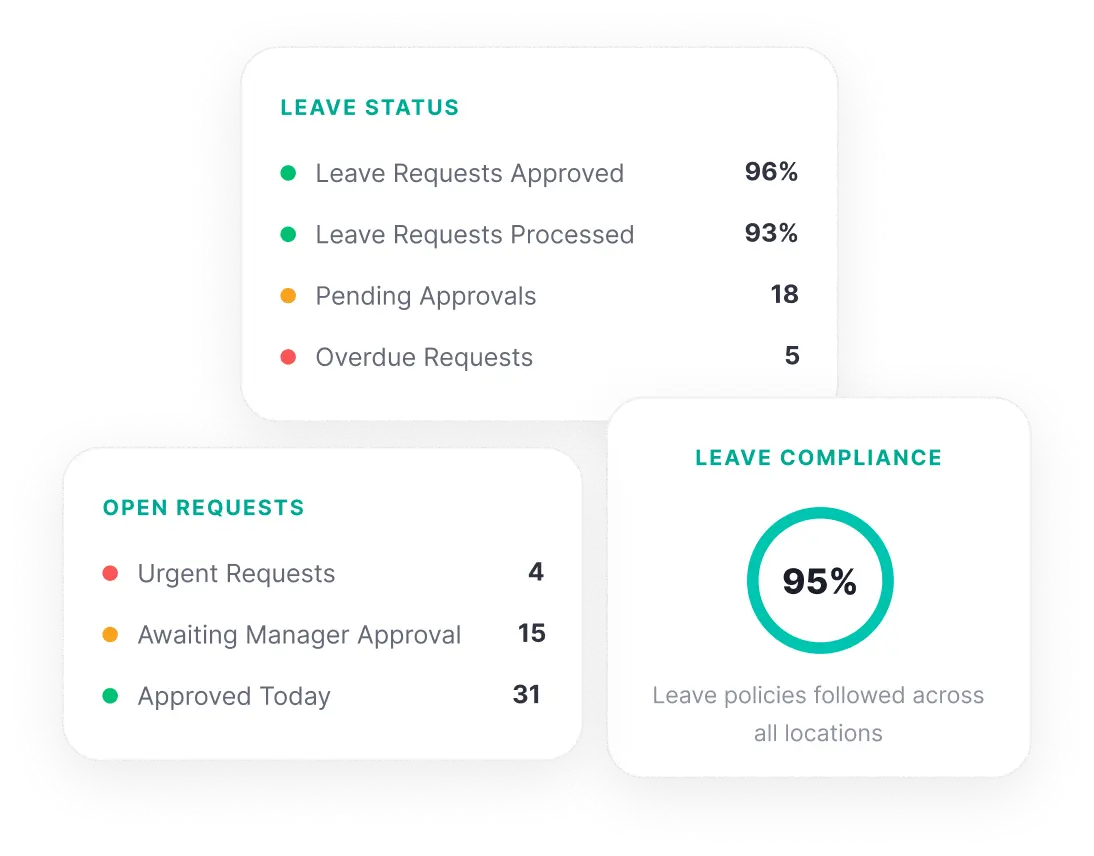
Leave Requests This Month 94 | Pending Approvals 12 | Unplanned Absences 17 | Locations With Scheduling Gaps 4
Days of delay when leave requests sit unprocessed on paper or in email
When reporting requires filling out paper forms, visiting an office, or emailing a manager, frontline workers skip it. The process is too slow, too inconvenient, or too disconnected from the moment the incident occurs.
centralized view of employee absences across multiple locations
After a safety incident, corrective actions are discussed in meetings but never formally assigned. Without tracked ownership or deadlines, the same hazards persist and future incidents become more likely.
documented approval trail when leave is managed through verbal requests
Paper-based incident reports reach managers hours or days after the event. By then, details are forgotten, evidence is gone, and the opportunity to investigate properly has passed.
100%
of leave records inaccessible for audits when stored in local files
When leave records are scattered across filing cabinets, notebooks, and email threads at individual sites, the organization has no reliable documentation for compliance audits, labor disputes, or wage and hour reviews.

What Changes When Leave Management Goes Digital

See how teams operate before and after moving to a centralized leave management system.

Without KNOW

With KNOW

Without KNOW

Leave requests are submitted on paper, via text, or verbally, with no standardized process

With KNOW

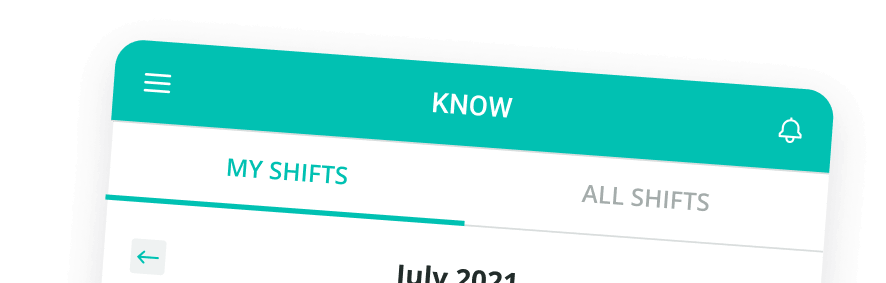
Employees submit leave requests from their mobile device with leave dates, type, and reason

Without KNOW

Approvals happen informally with no documented record of who approved what and when

With KNOW

Managers approve or reject requests digitally with a timestamped record of every decision

Without KNOW

Managers have no centralized view of upcoming absences or time off requests across locations

With KNOW

A centralized dashboard shows all upcoming absences, pending requests, and time off across locations

Without KNOW

Shift coverage is planned reactively after discovering someone is absent

With KNOW

Approved leave feeds into scheduling, so managers can plan shift coverage before the absence

Without KNOW

Leave records sit in local files with no centralized access for HR teams or compliance

With KNOW

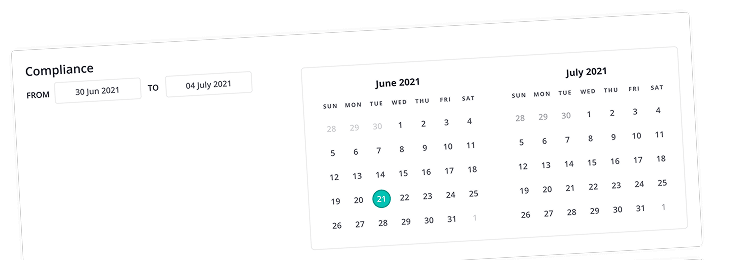
All leave records are stored centrally, accessible for compliance, audits, or dispute resolution

From Request to Approval to Coverage
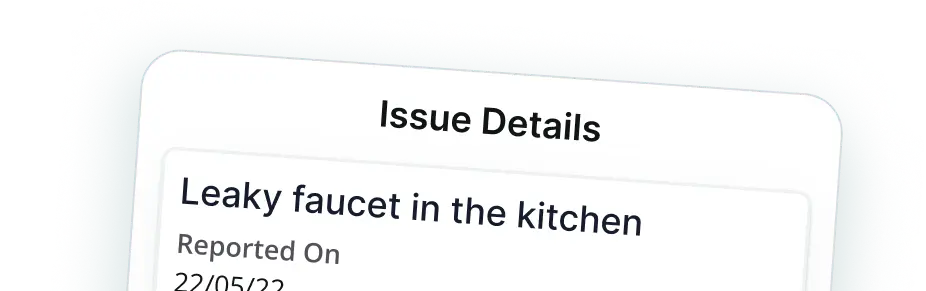
See how frontline teams submit leave requests, how managers process approvals, and how operations maintain coverage.
01
Submit Leave Requests From Mobile
Employees submit time off requests from their mobile device in minutes. Each request includes leave dates, leave type (annual leave, sick leave, medical leave), and any supporting documentation.
02
Approve or Reject in Just a Few Clicks
Managers receive notifications for new leave requests and approve or reject with a tap. Every approval is timestamped and documented, creating a verifiable trail that replaces verbal or text-based approvals.
03
Plan Shift Coverage for Approved Leave
When leave is approved, managers can adjust schedules to ensure shifts are covered. Visibility into upcoming absences helps teams plan ahead rather than scrambling when someone does not show up.
04
Track Leave Records Across All Locations
Access a centralized view of leave history, pending requests, and employee absences across every site. HR teams can review records for any location or employee without contacting individual managers.

What Teams Actually Use KNOW For

Concrete scenarios where area and regional managers use structured store visits across operations.

<svg width="40" height="40" viewBox="0 0 40 40" fill="none" xmlns="http://www.w3.org/2000/svg">
<path d="M13.332 19.1614V15.8281C13.332 11.1141 13.332 8.75706 14.7965 7.29259C16.261 5.82812 18.618 5.82812 23.332 5.82812H26.6654C31.3794 5.82812 33.7364 5.82812 35.2009 7.29259C36.6654 8.75706 36.6654 11.1141 36.6654 15.8281V19.1614C36.6654 23.8756 36.6654 26.2326 35.2009 27.6971C33.7364 29.1614 31.3794 29.1614 26.6654 29.1614H23.332C18.618 29.1614 16.261 29.1614 14.7965 27.6971C13.332 26.2326 13.332 23.8756 13.332 19.1614Z" stroke="#7402FF" stroke-width="2.5" stroke-linecap="round" stroke-linejoin="round"/>
<path d="M7.4987 13.5625C6.31921 13.76 5.4649 14.1233 4.7965 14.7917C3.33203 16.2562 3.33203 18.6132 3.33203 23.3272V26.6606C3.33203 31.3746 3.33203 33.7317 4.7965 35.1961C6.26096 36.6606 8.61798 36.6606 13.332 36.6606H16.6654C21.3794 36.6606 23.7364 36.6606 25.2009 35.1961C25.2665 35.1306 25.329 35.0632 25.3889 34.9939" stroke="#7402FF" stroke-width="2.5" stroke-linecap="round" stroke-linejoin="round"/>
<path d="M13.332 15H36.6654" stroke="#7402FF" stroke-width="2.5" stroke-linecap="round" stroke-linejoin="round"/>
<path d="M20 3.32812V8.32812M30 3.32812V8.32812" stroke="#7402FF" stroke-width="2.5" stroke-linecap="round" stroke-linejoin="round"/>
<path d="M3.33203 22.5H7.4987" stroke="#7402FF" stroke-width="2.5" stroke-linecap="round" stroke-linejoin="round"/>
</svg>

Annual Leave Requests
Employees submit planned vacation and annual leave requests digitally with leave dates and manager approval tracked in one system.

<svg width="40" height="40" viewBox="0 0 40 40" fill="none" xmlns="http://www.w3.org/2000/svg">
<path d="M24.1654 24.1667C24.1654 21.8653 22.2999 20 19.9987 20C17.6975 20 15.832 21.8653 15.832 24.1667C15.832 26.4678 17.6975 28.3333 19.9987 28.3333C22.2999 28.3333 24.1654 26.4678 24.1654 24.1667Z" stroke="#7402FF" stroke-width="2.5" stroke-linecap="round" stroke-linejoin="round"/>
<path d="M28.2914 35.8359C27.8732 31.6248 24.3204 28.3359 19.9992 28.3359C15.6781 28.3359 12.1251 31.6248 11.707 35.8359" stroke="#7402FF" stroke-width="2.5" stroke-linecap="round" stroke-linejoin="round"/>
<path d="M21.668 4.16927V5.0026C21.668 9.71665 21.668 12.0737 23.1325 13.5381C24.597 15.0026 26.954 15.0026 31.668 15.0026H32.5013M33.3346 17.7641V23.3359C33.3346 29.6213 33.3346 32.7641 31.382 34.7166C29.4295 36.6693 26.2866 36.6693 20.0013 36.6693C13.7159 36.6693 10.5732 36.6693 8.62059 34.7166C6.66797 32.7641 6.66797 29.6213 6.66797 23.3359V15.7623C6.66797 10.354 6.66797 7.64979 8.14475 5.81815C8.4431 5.44812 8.78015 5.11107 9.15019 4.81272C10.9818 3.33594 13.686 3.33594 19.0943 3.33594C20.2703 3.33594 20.8581 3.33594 21.3966 3.52595C21.5086 3.56547 21.6183 3.61094 21.7255 3.66219C22.2406 3.90852 22.6563 4.32427 23.4878 5.15574L31.382 13.05C32.3455 14.0134 32.8271 14.4951 33.081 15.1077C33.3346 15.7203 33.3346 16.4015 33.3346 17.7641Z" stroke="#7402FF" stroke-width="2.5" stroke-linecap="round" stroke-linejoin="round"/>
</svg>

Sick Leave Documentation
Document unplanned sick leave absences with timestamps and any required supporting documentation submitted from mobile.

<svg width="40" height="40" viewBox="0 0 40 40" fill="none" xmlns="http://www.w3.org/2000/svg">
<path d="M14.168 11.6667V10.8333C14.168 8.49257 14.168 7.32218 14.7297 6.48143C14.9729 6.11747 15.2854 5.80497 15.6494 5.56177C16.4902 5 17.6605 5 20.0013 5C22.3421 5 23.5125 5 24.3531 5.56177C24.7171 5.80497 25.0296 6.11747 25.2728 6.48143C25.8346 7.32218 25.8346 8.49257 25.8346 10.8333V11.6667" stroke="#7402FF" stroke-width="2.5" stroke-linecap="round" stroke-linejoin="round"/>
<path d="M36.6654 24.9973V21.6641C36.6654 16.9499 36.6654 14.593 35.2009 13.1285C33.7364 11.6641 31.3794 11.6641 26.6654 11.6641H13.332C8.61798 11.6641 6.26096 11.6641 4.7965 13.1285C3.33203 14.593 3.33203 16.9499 3.33203 21.6641V24.9973C3.33203 29.7113 3.33203 32.0683 4.7965 33.5328C6.26096 34.9973 8.61798 34.9973 13.332 34.9973H26.6654C31.3794 34.9973 33.7364 34.9973 35.2009 33.5328C36.6654 32.0683 36.6654 29.7113 36.6654 24.9973Z" stroke="#7402FF" stroke-width="2.5" stroke-linecap="round" stroke-linejoin="round"/>
<path d="M19.9875 18.3281V28.3281M25 23.3156H15" stroke="#7402FF" stroke-width="2.5" stroke-linecap="round" stroke-linejoin="round"/>
</svg>

Medical Leave Requests
Enable frontline workers to flag unsafe conditions, equipment hazards, or environmental risks with photo-documented reports.

<svg width="40" height="40" viewBox="0 0 40 40" fill="none" xmlns="http://www.w3.org/2000/svg">
<path d="M8.32031 28.3333V16.6667C8.32031 10.2234 13.5436 5 19.987 5C26.4303 5 31.6537 10.2234 31.6537 16.6667V28.3333" stroke="#7402FF" stroke-width="2.5" stroke-linecap="round" stroke-linejoin="round"/>
<path d="M19.1524 10.8359C16.3909 10.8359 14.1523 13.0745 14.1523 15.8359" stroke="#7402FF" stroke-width="2.5" stroke-linecap="round" stroke-linejoin="round"/>
<path d="M4.98828 31.6693C4.98828 29.8283 6.48066 28.3359 8.32161 28.3359H31.655C33.496 28.3359 34.9883 29.8283 34.9883 31.6693C34.9883 33.5103 33.496 35.0026 31.655 35.0026H8.32161C6.48066 35.0026 4.98828 33.5103 4.98828 31.6693Z" stroke="#7402FF" stroke-width="2.5"/>
</svg>

Emergency Leave Requests
Handle urgent same-day leave requests through mobile with immediate manager notification and documented approval.

<svg width="40" height="40" viewBox="0 0 40 40" fill="none" xmlns="http://www.w3.org/2000/svg">
<g clip-path="url(#clip0_731_5312)">
<path d="M24.1615 1.33594H15.8281C14.4474 1.33594 13.3281 2.45522 13.3281 3.83594C13.3281 5.21664 14.4474 6.33594 15.8281 6.33594H24.1615C25.5421 6.33594 26.6615 5.21664 26.6615 3.83594C26.6615 2.45522 25.5421 1.33594 24.1615 1.33594Z" stroke="#7402FF" stroke-width="2.5" stroke-linecap="round" stroke-linejoin="round"/>
<path d="M26.6602 3.83594C29.2493 3.91395 30.7935 4.20272 31.8623 5.27154C33.3268 6.736 33.3268 9.09299 33.3268 13.807V24.6683C33.3268 29.3825 33.3268 31.7395 31.8623 33.204C30.3978 34.6683 28.0408 34.6683 23.3268 34.6683H16.6602C11.9461 34.6683 9.58911 34.6683 8.12464 33.204C6.66017 31.7395 6.66017 29.3825 6.66016 24.6685L6.66019 13.8071C6.66017 9.09302 6.66017 6.73599 8.12464 5.27152C9.19344 4.2027 10.7377 3.91395 13.3267 3.83594" stroke="#7402FF" stroke-width="2.5" stroke-linecap="round" stroke-linejoin="round"/>
<path d="M12.4922 16.336L14.1589 18.0027L17.4922 13.8359" stroke="#7402FF" stroke-width="2.5" stroke-linecap="round" stroke-linejoin="round"/>
<path d="M21.6602 26.3359H26.6602M21.6602 16.3359H26.6602" stroke="#7402FF" stroke-width="2.5" stroke-linecap="round" stroke-linejoin="round"/>
<path d="M14.1406 26.1172H14.1573" stroke="#7402FF" stroke-width="2.5" stroke-linecap="round" stroke-linejoin="round"/>
</g>
<defs>
<clipPath id="clip0_731_5312">
<rect width="40" height="40" fill="white"/>
</clipPath>
</defs>
</svg>

Leave Approval Workflows
Standardize the approval process so every leave request follows the same path regardless of location or manager.

<svg width="40" height="40" viewBox="0 0 40 40" fill="none" xmlns="http://www.w3.org/2000/svg">
<path d="M25.8333 3.32812V9.99479M12.5 3.32812V9.99479" stroke="#7402FF" stroke-width="2.5" stroke-linecap="round" stroke-linejoin="round"/>
<path d="M33.9988 13.3307C33.7856 11.1639 33.304 9.70531 32.2153 8.61668C30.2628 6.66406 27.12 6.66406 20.8346 6.66406H17.5013C11.2159 6.66406 8.07322 6.66406 6.12059 8.61668C4.16797 10.5693 4.16797 13.712 4.16797 19.9974V23.3307C4.16797 29.6161 4.16797 32.7589 6.12059 34.7114C7.46755 36.0584 9.3808 36.4762 12.5013 36.6057" stroke="#7402FF" stroke-width="2.5" stroke-linecap="round" stroke-linejoin="round"/>
<path d="M4.16797 16.6641H12.5013" stroke="#7402FF" stroke-width="2.5" stroke-linecap="round" stroke-linejoin="round"/>
<path d="M25.832 36.6641C31.3549 36.6641 35.832 32.1869 35.832 26.6641C35.832 21.1412 31.3549 16.6641 25.832 16.6641C20.3092 16.6641 15.832 21.1412 15.832 26.6641C15.832 32.1869 20.3092 36.6641 25.832 36.6641Z" stroke="#7402FF" stroke-width="2.5" stroke-linecap="round" stroke-linejoin="round"/>
<path d="M25.832 21.6641V26.6641L29.1654 28.3307" stroke="#7402FF" stroke-width="2.5" stroke-linecap="round" stroke-linejoin="round"/>
</svg>

Shift Coverage Planning
Use approved leave data to plan shift coverage in advance, reducing the operational impact of employee absences.

<svg width="40" height="40" viewBox="0 0 40 40" fill="none" xmlns="http://www.w3.org/2000/svg">
<path d="M18.3359 10H35.0026" stroke="#7402FF" stroke-width="2.5" stroke-linecap="round"/>
<path d="M18.3359 20H35.0026" stroke="#7402FF" stroke-width="2.5" stroke-linecap="round"/>
<path d="M18.3359 30H35.0026" stroke="#7402FF" stroke-width="2.5" stroke-linecap="round"/>
<path d="M5 12.3266C5 12.3266 6.66667 13.413 7.5 15.0052C7.5 15.0052 10 8.75521 13.3333 6.67188" stroke="#7402FF" stroke-width="2.5" stroke-linecap="round"/>
<path d="M5 30.6548C5 30.6548 6.66667 31.7412 7.5 33.3333C7.5 33.3333 10 27.0833 13.3333 25" stroke="#7402FF" stroke-width="2.5" stroke-linecap="round"/>
</svg>

Leave Records for Compliance
Maintain a centralized digital record of all leave requests, approvals, and absences for labor compliance and audit readiness.

<svg width="40" height="40" viewBox="0 0 40 40" fill="none" xmlns="http://www.w3.org/2000/svg">
<path d="M22.4973 3.33594H14.1641C12.7833 3.33594 11.6641 4.45522 11.6641 5.83594C11.6641 7.21665 12.7833 8.33594 14.1641 8.33594H22.4973C23.8781 8.33594 24.9973 7.21665 24.9973 5.83594C24.9973 4.45522 23.8781 3.33594 22.4973 3.33594Z" stroke="#7402FF" stroke-width="2.5" stroke-linecap="round" stroke-linejoin="round"/>
<path d="M11.6641 25.0026H17.3783M11.6641 18.3359H24.9973" stroke="#7402FF" stroke-width="2.5" stroke-linecap="round" stroke-linejoin="round"/>
<path d="M31.6628 22.5026V15.807C31.6628 11.093 31.6628 8.736 30.1983 7.27155C29.1295 6.20272 27.5852 5.91395 24.9962 5.83594M19.996 36.6684H14.9961C10.2821 36.6684 7.92503 36.6684 6.46058 35.2039C4.99611 33.7394 4.99609 31.3824 4.99609 26.6684L4.99611 15.8071C4.99609 11.093 4.99609 8.736 6.46056 7.27154C7.52938 6.20272 9.07361 5.91395 11.6626 5.83594" stroke="#7402FF" stroke-width="2.5" stroke-linecap="round" stroke-linejoin="round"/>
<path d="M23.3281 33.3307C23.3281 33.3307 24.9948 33.3307 26.6615 36.6641C26.6615 36.6641 30.289 28.3307 34.9948 26.6641" stroke="#7402FF" stroke-width="2.5" stroke-linecap="round" stroke-linejoin="round"/>
</svg>

Absence Trend Reporting
Track absence patterns across locations and time periods to identify trends that may indicate staffing or engagement issues.

What Our
Customers
Say

"KNOW is a divine source/tool for us for tightening communication and ensuring that everyone stays aligned with our company's goals. With all information at our fingertips, we have such ease in making sure that everything in the company is in the KNOW of the latest updates!"that everyone stays aligned..."
Domino’s Pizza
"KNOW has been the most efficient tool for tightening communication and ensuring that everyone stays aligned..."
Adidas
"The KNOW app is instrumental to help improve performance and interactions at restaurants, in an inspiring environment..."
OLA
"The KNOW app is revolutionizing the experience of our frontline spaces."
APMC Head of Open Foodposts
"KNOW is a divine source/tool for us for tightening communication and ensuring that everyone stays aligned with our company's goals. With all information at our fingertips, we have such ease in making sure that everything in the company is in the KNOW of the latest updates!"that everyone stays aligned..."
Domino’s Pizza
"KNOW has been the most efficient tool for tightening communication and ensuring that everyone stays aligned..."
Adidas
"The KNOW app is instrumental to help improve performance and interactions at restaurants, in an inspiring environment..."
OLA
"The KNOW app is revolutionizing the experience of our frontline spaces."
APMC Head of Open Foodposts

Frequently Asked Questions
?

1. What is a leave management system?

A leave management system is a platform that handles the entire process of requesting, approving, and tracking employee time off. It replaces paper forms, verbal approvals, and spreadsheet tracking with a digital workflow. KNOW provides leave management for frontline operations, letting employees submit requests from mobile, managers approve digitally, and HR teams access centralized leave records across all locations.

2. What is the process of leave management?

The process follows a consistent flow: the employee submits a request with leave dates and type, the manager reviews and approves or rejects it, approved leave is reflected in the schedule for coverage planning, and all records are stored for compliance. KNOW digitizes this entire process so it runs the same way at every location, with timestamped approvals and centralized records.

3. How does KNOW handle the leave approval process?

Managers receive a notification when an employee submits a leave request. They review the details and approve or reject in just a few clicks. Every decision is timestamped and documented. The employee is notified of the outcome. Approved leave is visible in the centralized dashboard, so scheduling and coverage can be adjusted. This replaces informal approvals through conversations or text messages that leave no verifiable record.

4. How do you manage employee leave across multiple locations?

The challenge is ensuring a consistent leave process when each location has its own manager and its own way of handling requests. KNOW solves this by standardizing the request and approval workflow across all sites. Every request follows the same digital process. Managers at every location approve through the same platform. HR teams see all leave data from every site on one centralized dashboard without contacting individual locations.

5. What is the best way to track employee time off?

The best approach replaces manual tracking with a digital system where every leave request, approval, and absence is logged with timestamps. KNOW tracks all time off requests from submission through approval and records them centrally. Managers can see upcoming absences for their location, and HR teams can view leave data across all sites. This eliminates spreadsheet tracking and ensures records are always up to date.

6. Can KNOW replace paper-based leave requests?

Yes. Employees submit leave requests from their mobile device with leave type, dates, and any supporting documentation. Managers approve digitally with a timestamped record. All requests and approvals are stored centrally. This eliminates paper forms that get lost, verbal requests that go undocumented, and spreadsheets that fall out of date. The platform works on mobile devices, making it accessible for frontline workers who do not sit at a desk.

7. How does KNOW help with attendance tracking alongside leave management?

KNOW's attendance tracking captures who is present and absent at each location. When combined with leave records, managers can distinguish between approved leave and unplanned absences. This gives a complete picture of workforce availability at every site and helps identify locations with higher absence rates that may need staffing adjustments or further review.

8. How does KNOW support leave compliance for frontline operations?

Maintaining verifiable leave records is essential for labor compliance, wage and hour documentation, and dispute resolution. KNOW stores every leave request, approval decision, and absence record digitally with timestamps. HR teams can pull records for any employee or location instantly for audits, regulatory reviews, or employment disputes. This replaces the compliance risk of scattered paper records across multiple sites.


See More