Use Case

Accurate Operational 
Data
From Every Location, Every Shift

Replace paper forms with mobile data collection that works offline, captures photos, and gives managers instant visibility. No lost paperwork. No manual entry. No reporting gaps.
2M+ users each month

Why Data Collection Breaks Down at Scale

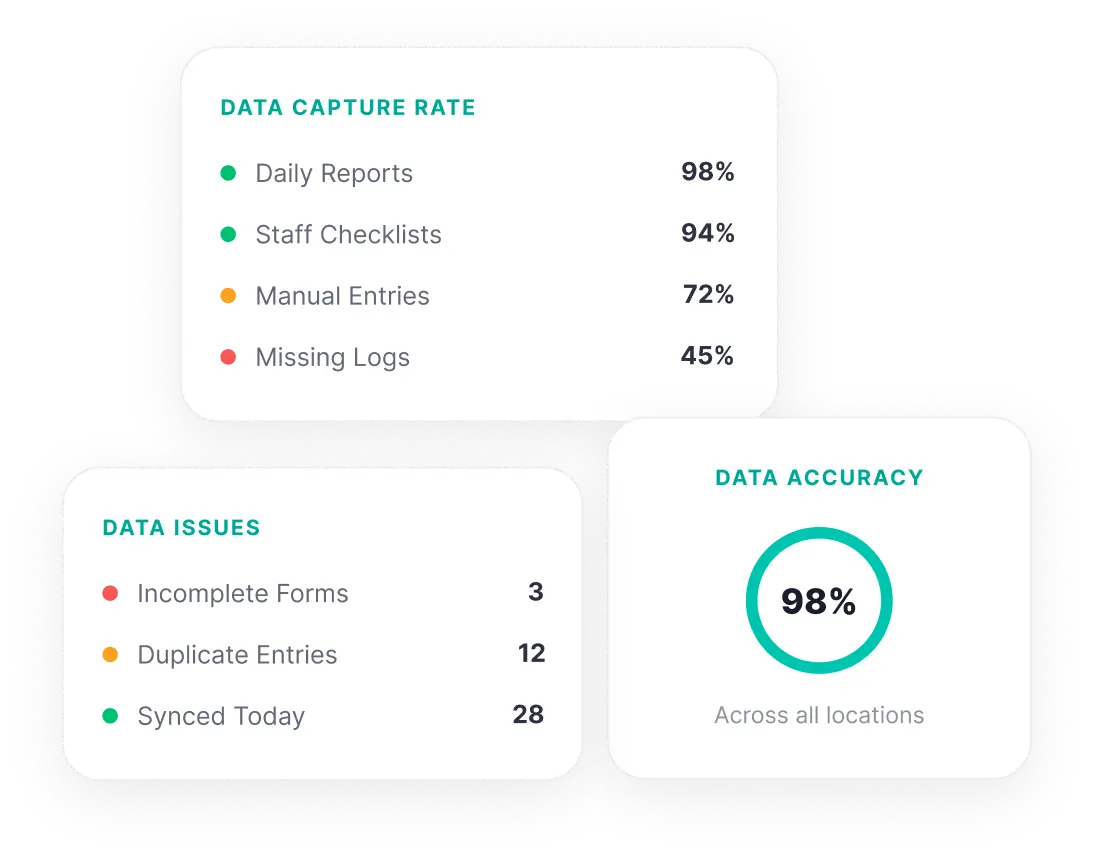
Submissions Today 142 | Pending Review 38 | Overdue Forms 11 | Locations With Gaps 7
48+
hours from field submission to manager review on paper
Paper-based data collection depends on manual data entry, lost forms, and illegible handwriting. By the time records reach managers, they are incomplete or outdated.
100%
of submission gaps invisible without centralized tracking
Managers have no centralized view of which forms have been submitted, which are pending, and which locations have stopped reporting entirely.
0
data comparability when every site uses different templates
Without standardized forms, each site captures data in its own format. Field workers skip fields, use outdated templates, and record inconsistently.
4%
error rate per manually entered field, compounding across every form
Paper forms have no built-in validation. Missing fields, incorrect entries, and incomplete submissions go undetected until someone reviews the form manually, often days later.

What Changes When Data Collection Goes Digital

See how teams operate before and after moving to a structured mobile data collection process.

Without KNOW

With KNOW

Without KNOW

Data collection varies by site with no standard forms, so submissions cannot be compared or aggregated across locations

With KNOW

Every site uses the same customizable forms, so data is consistent, comparable, and ready for analysis the moment it is submitted

Without KNOW

Paper forms reach managers days later with missing fields, no timestamps, and no supporting documentation

With KNOW

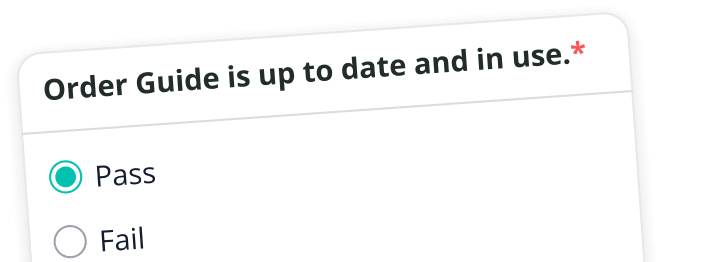
Forms are completed on mobile devices with required fields, photo attachments, and timestamps, so every submission arrives complete

Without KNOW

No way to tell which locations have submitted and which have gaps until someone manually checks

With KNOW

Real-time dashboards show exactly which locations have submitted, which are pending, and where gaps exist

Without KNOW

Data sits in filing cabinets and local spreadsheets, inaccessible to anyone outside the site

With KNOW

All collected data is stored centrally and accessible from one dashboard, eliminating the need for manual consolidation

Without KNOW

Gathering data across multiple locations requires follow-up calls, emails, and manual consolidation

With KNOW

Automated alerts notify managers when forms are overdue, so reporting gaps are flagged before they widen

From Field to Dashboard in Real Time
See how frontline teams collect data, submit forms, and give managers immediate visibility into operations.
01
Build Custom Forms Without Coding
Create digital forms for any operational process using the form builder. Add required fields, photo attachments, and structured inputs. Deploy forms to every location from one dashboard.
02
Collect Data on Mobile, Even Offline
Frontline teams complete forms on mobile devices in the field, including remote locations with no internet connection. Submissions sync automatically when connectivity is restored.
03
Track Every Submission Across Every Site
See which locations have submitted, which forms are pending, and where gaps exist. Automated alerts flag overdue submissions before reporting deadlines pass.
04
Turn Collected Data Into Operational Decisions
Access centralized reports that aggregate submission data across all locations. Identify patterns, track progress over time, and use complete data to make informed decisions.

What Teams Actually Use KNOW For

Concrete scenarios where frontline teams collect data across various industries.

<svg width="40" height="40" viewBox="0 0 40 40" fill="none" xmlns="http://www.w3.org/2000/svg">
<path d="M18.3359 10H35.0026" stroke="#7402FF" stroke-width="2.5" stroke-linecap="round"/>
<path d="M18.3359 20H35.0026" stroke="#7402FF" stroke-width="2.5" stroke-linecap="round"/>
<path d="M18.3359 30H35.0026" stroke="#7402FF" stroke-width="2.5" stroke-linecap="round"/>
<path d="M5 12.3266C5 12.3266 6.66667 13.413 7.5 15.0052C7.5 15.0052 10 8.75521 13.3333 6.67188" stroke="#7402FF" stroke-width="2.5" stroke-linecap="round"/>
<path d="M5 30.6548C5 30.6548 6.66667 31.7412 7.5 33.3333C7.5 33.3333 10 27.0833 13.3333 25" stroke="#7402FF" stroke-width="2.5" stroke-linecap="round"/>
</svg>

Daily Operations Reports
Capture shift-level operational data from every location with standardized digital forms covering staffing, incidents, and daily metrics.

<svg width="40" height="40" viewBox="0 0 40 40" fill="none" xmlns="http://www.w3.org/2000/svg">
<path d="M31.1813 5.82817C28.0275 4.25897 24.1682 3.33594 20 3.33594C15.8318 3.33594 11.9725 4.25897 8.8186 5.82817C7.27197 6.5977 6.49865 6.98247 5.74933 8.19224C5 9.40202 5 10.5734 5 12.9162V18.7311C5 28.2034 12.5706 33.4699 16.955 35.7256C18.1778 36.3548 18.7892 36.6693 20 36.6693C21.2108 36.6693 21.8222 36.3548 23.0448 35.7256C27.4293 33.4699 35 28.2034 35 18.7311V12.9162C35 10.5734 35 9.40204 34.2507 8.19224C33.5013 6.98245 32.728 6.5977 31.1813 5.82817Z" stroke="#7402FF" stroke-width="2.5" stroke-linecap="round" stroke-linejoin="round"/>
<path d="M25 18.3359C25 21.0973 22.7615 23.3359 20 23.3359C17.2385 23.3359 15 21.0973 15 18.3359C15 15.5745 17.2385 13.3359 20 13.3359C22.7615 13.3359 25 15.5745 25 18.3359Z" stroke="#7402FF" stroke-width="2.5" stroke-linecap="round" stroke-linejoin="round"/>
</svg>

Incident and Safety Reports
Document safety incidents with photos, timestamps, and detailed notes submitted from the field the moment they occur.

<svg width="40" height="40" viewBox="0 0 40 40" fill="none" xmlns="http://www.w3.org/2000/svg">
<path d="M24.1663 17.5001C24.1663 19.8013 22.3008 21.6668 19.9997 21.6668C17.6985 21.6668 15.833 19.8013 15.833 17.5001C15.833 15.199 17.6985 13.3335 19.9997 13.3335C22.3008 13.3335 24.1663 15.199 24.1663 17.5001Z" stroke="#7402FF" stroke-width="2.5" stroke-linecap="round" stroke-linejoin="round"/>
<path d="M26.6663 5.8335C30.7987 5.8335 33.6502 6.47385 35.2212 6.9607C36.1257 7.24103 36.6663 8.09831 36.6663 9.04525V25.304C36.6663 27.1625 34.6195 28.5608 32.7933 28.216C31.2265 27.9202 29.1842 27.6825 26.6663 27.6825C18.7482 27.6825 16.849 30.692 5.24101 28.1322C4.12076 27.8852 3.33301 26.8777 3.33301 25.7305V9.03543C3.33301 7.40901 4.86766 6.22293 6.46297 6.53951C16.9942 8.62928 19.0345 5.8335 26.6663 5.8335Z" stroke="#7402FF" stroke-width="2.5" stroke-linecap="round" stroke-linejoin="round"/>
<path d="M3.33301 12.4998C6.58522 12.4998 9.50772 9.84162 9.88136 7.09012M30.8338 6.6665C30.8338 10.0659 33.7755 13.2815 36.6663 13.2815M36.6663 22.4998C33.5012 22.4998 30.4332 24.6835 30.1697 27.6637M10.0005 28.3267C10.0005 24.6448 7.01572 21.66 3.33382 21.66" stroke="#7402FF" stroke-width="2.5" stroke-linecap="round" stroke-linejoin="round"/>
<path d="M31.6663 32.8882C30.2858 32.6608 28.6193 32.5 26.6672 32.5C19.5098 32.5 17.2703 35.2663 8.33301 33.6712" stroke="#7402FF" stroke-width="2.5" stroke-linecap="round" stroke-linejoin="round"/>
</svg>

Petty Cash and Expense Submissions
Digitize petty cash records with receipt photos and approval workflows, replacing paper-based filing and manual reconciliation.

<svg width="40" height="40" viewBox="0 0 40 40" fill="none" xmlns="http://www.w3.org/2000/svg">
<path d="M16.667 15V18.3333" stroke="#7402FF" stroke-width="2.5" stroke-linecap="round"/>
<path d="M28.3333 33.3307C30.1743 33.3307 31.6667 31.8383 31.6667 29.9974C31.6667 28.1564 30.1743 26.6641 28.3333 26.6641C26.4924 26.6641 25 28.1564 25 29.9974C25 31.8383 26.4924 33.3307 28.3333 33.3307Z" stroke="#7402FF" stroke-width="2.5"/>
<path d="M11.6663 33.3307C13.5073 33.3307 14.9997 31.8383 14.9997 29.9974C14.9997 28.1564 13.5073 26.6641 11.6663 26.6641C9.82539 26.6641 8.33301 28.1564 8.33301 29.9974C8.33301 31.8383 9.82539 33.3307 11.6663 33.3307Z" stroke="#7402FF" stroke-width="2.5"/>
<path d="M8.33301 29.9514C6.50514 29.8604 5.36484 29.5884 4.55339 28.7771C3.33301 27.5566 3.33301 25.5924 3.33301 21.6641V14.9974C3.33301 11.069 3.33301 9.10485 4.55339 7.88445C5.77379 6.66406 7.73797 6.66406 11.6663 6.66406H17.1663C19.0277 6.66406 19.9583 6.66406 20.7115 6.90878C22.2337 7.40336 23.427 8.5968 23.9217 10.119C24.1663 10.8721 24.1663 11.8028 24.1663 13.6641C24.1663 14.9049 24.1663 15.5253 24.3295 16.0274C24.6592 17.0422 25.4548 17.8379 26.4697 18.1676C26.9717 18.3307 27.5922 18.3307 28.833 18.3307H36.6663V21.6641C36.6663 25.5924 36.6663 27.5566 35.446 28.7771C34.6345 29.5884 33.4942 29.8604 31.6663 29.9514M14.9997 29.9974H24.9997" stroke="#7402FF" stroke-width="2.5" stroke-linecap="round" stroke-linejoin="round"/>
<path d="M24.167 10H27.2023C29.628 10 30.8407 10 31.8277 10.5895C32.8147 11.179 33.3897 12.2469 34.5397 14.3825L36.667 18.3333" stroke="#7402FF" stroke-width="2.5" stroke-linecap="round" stroke-linejoin="round"/>
<path d="M10 15V18.3333" stroke="#7402FF" stroke-width="2.5" stroke-linecap="round"/>
</svg>

Delivery and Receiving Records
Record delivery details, verify quantities, and attach photo documentation at the point of receipt for every location.

<svg width="40" height="40" viewBox="0 0 40 40" fill="none" xmlns="http://www.w3.org/2000/svg">
<path d="M29.1667 36.6693C32.8485 36.6693 35.8333 33.6844 35.8333 30.0026C35.8333 28.2251 35.1378 26.6103 34.004 25.4151C33.1595 24.5249 32.7372 24.0798 32.6187 23.7824C32.5 23.4851 32.5 23.0918 32.5 22.3051V6.66927C32.5 4.82832 31.0077 3.33594 29.1667 3.33594C27.3257 3.33594 25.8333 4.82832 25.8333 6.66927V22.3051C25.8333 23.0918 25.8333 23.4851 25.7147 23.7824C25.5962 24.0798 25.1738 24.5249 24.3293 25.4151C23.1955 26.6103 22.5 28.2251 22.5 30.0026C22.5 33.6844 25.4848 36.6693 29.1667 36.6693Z" stroke="#7402FF" stroke-width="2.5" stroke-linecap="round" stroke-linejoin="round"/>
<path d="M15.0771 8.33594V14.4297M15.0771 14.4297V23.9089M15.0771 14.4297L18.4861 11.0443M15.0771 14.4297L11.668 11.0443M15.0771 23.9089L15.0771 30.0026M15.0771 23.9089L11.668 27.2943M15.0771 23.9089L18.4861 27.2943M6.89524 15.7839L10.3043 19.1693M10.3043 19.1693L6.89524 22.5546M10.3043 19.1693H19.168M10.3043 19.1693H4.16797" stroke="#7402FF" stroke-width="2.5" stroke-linecap="round" stroke-linejoin="round"/>
</svg>

Temperature and Compliance Logs
Capture refrigeration and storage temperature readings with timestamps, maintaining a complete digital compliance record per site.

<svg width="40" height="40" viewBox="0 0 40 40" fill="none" xmlns="http://www.w3.org/2000/svg">
<path d="M4.16699 15H10.8337" stroke="#7402FF" stroke-width="2.5" stroke-linecap="round" stroke-linejoin="round"/>
<path d="M4.16699 23.3359H10.8337" stroke="#7402FF" stroke-width="2.5" stroke-linecap="round" stroke-linejoin="round"/>
<path d="M4.16699 6.66406H30.8337" stroke="#7402FF" stroke-width="2.5" stroke-linecap="round" stroke-linejoin="round"/>
<path d="M30.8928 28.3899L35.8337 33.3307M33.3337 22.4974C33.3337 17.8951 29.6027 14.1641 25.0003 14.1641C20.398 14.1641 16.667 17.8951 16.667 22.4974C16.667 27.0997 20.398 30.8307 25.0003 30.8307C29.6027 30.8307 33.3337 27.0997 33.3337 22.4974Z" stroke="#7402FF" stroke-width="2.5" stroke-linecap="round" stroke-linejoin="round"/>
</svg>

Maintenance Request Submissions
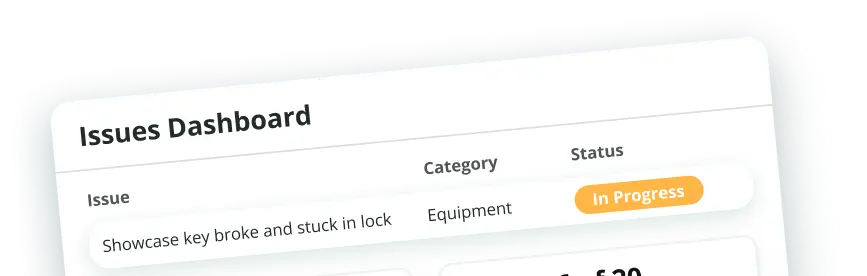
Submit maintenance requests from the field with photos, descriptions, and priority levels, tracked from submission to resolution.

<svg width="40" height="40" viewBox="0 0 40 40" fill="none" xmlns="http://www.w3.org/2000/svg">
<g clip-path="url(#clip0_731_917)">
<path d="M24.1595 1.33594H15.8262C14.4455 1.33594 13.3262 2.45522 13.3262 3.83594C13.3262 5.21664 14.4455 6.33594 15.8262 6.33594H24.1595C25.5402 6.33594 26.6595 5.21664 26.6595 3.83594C26.6595 2.45522 25.5402 1.33594 24.1595 1.33594Z" stroke="#7402FF" stroke-width="2.5" stroke-linecap="round" stroke-linejoin="round"/>
<path d="M26.6602 3.83594C29.2493 3.91395 30.7935 4.20272 31.8623 5.27154C33.3268 6.736 33.3268 9.09299 33.3268 13.807V24.6683C33.3268 29.3825 33.3268 31.7395 31.8623 33.204C30.3978 34.6683 28.0408 34.6683 23.3268 34.6683H16.6602C11.9461 34.6683 9.58911 34.6683 8.12464 33.204C6.66017 31.7395 6.66017 29.3825 6.66016 24.6685L6.66019 13.8071C6.66017 9.09302 6.66017 6.73599 8.12464 5.27152C9.19344 4.2027 10.7377 3.91395 13.3267 3.83594" stroke="#7402FF" stroke-width="2.5" stroke-linecap="round" stroke-linejoin="round"/>
<path d="M12.4941 16.336L14.1608 18.0027L17.4942 13.8359" stroke="#7402FF" stroke-width="2.5" stroke-linecap="round" stroke-linejoin="round"/>
<path d="M21.6602 26.3359H26.6602M21.6602 16.3359H26.6602" stroke="#7402FF" stroke-width="2.5" stroke-linecap="round" stroke-linejoin="round"/>
<path d="M14.1426 26.1172H14.1592" stroke="#7402FF" stroke-width="2.5" stroke-linecap="round" stroke-linejoin="round"/>
</g>
<defs>
<clipPath id="clip0_731_917">
<rect width="40" height="40" fill="white"/>
</clipPath>
</defs>
</svg>

Shift Handover Reports
Standardize shift handover documentation so the incoming team has a verified, complete record of the previous shift.

<svg width="40" height="40" viewBox="0 0 40 40" fill="none" xmlns="http://www.w3.org/2000/svg">
<path d="M33.9294 22.2586C31.9469 24.2407 28.2167 24.1637 22.4974 24.1637C18.8177 24.1637 15.8343 21.1759 15.8324 17.4962C15.8324 11.7807 15.7554 8.04848 17.7379 6.06636C19.7202 4.08426 20.5959 4.16451 29.3777 4.16451C30.2264 4.16088 30.6535 5.18721 30.0535 5.7873L25.5319 10.3093C24.3842 11.4571 24.381 13.3179 25.5289 14.4656C26.6767 15.6133 28.5377 15.6134 29.6857 14.4659L34.2085 9.94498C34.8087 9.34505 35.8352 9.77211 35.8315 10.6206C35.8315 19.4011 35.9119 20.2766 33.9294 22.2586Z" stroke="#7402FF" stroke-width="2.5"/>
<path d="M22.5013 24.1667L12.2153 34.4527C10.3744 36.2935 7.38963 36.2935 5.54868 34.4527C3.70773 32.6117 3.70773 29.6268 5.54868 27.786L15.8346 17.5" stroke="#7402FF" stroke-width="2.5" stroke-linecap="round"/>
<path d="M9.1829 30.8359H9.16797" stroke="#7402FF" stroke-width="2.5" stroke-linecap="round" stroke-linejoin="round"/>
</svg>

Equipment Condition Logs
Log equipment status and flag maintenance needs with timestamped records and photo documentation per asset.

What Our
Customers
Say

"KNOW is a divine source/tool for us for tightening communication and ensuring that everyone stays aligned with our company's goals. With all information at our fingertips, we have such ease in making sure that everything in the company is in the KNOW of the latest updates!"that everyone stays aligned..."
Domino’s Pizza
"KNOW has been the most efficient tool for tightening communication and ensuring that everyone stays aligned..."
Adidas
"The KNOW app is instrumental to help improve performance and interactions at restaurants, in an inspiring environment..."
OLA
"The KNOW app is revolutionizing the experience of our frontline spaces."
APMC Head of Open Foodposts
"KNOW is a divine source/tool for us for tightening communication and ensuring that everyone stays aligned with our company's goals. With all information at our fingertips, we have such ease in making sure that everything in the company is in the KNOW of the latest updates!"that everyone stays aligned..."
Domino’s Pizza
"KNOW has been the most efficient tool for tightening communication and ensuring that everyone stays aligned..."
Adidas
"The KNOW app is instrumental to help improve performance and interactions at restaurants, in an inspiring environment..."
OLA
"The KNOW app is revolutionizing the experience of our frontline spaces."
APMC Head of Open Foodposts

Frequently Asked Questions
?

1. What do you mean by data collection?

Data collection is the process of gathering and recording information in a structured way so it can be analyzed and used for decision-making. In frontline operations, this covers daily reports, incident logs, temperature records, expense submissions, and any other operational form. KNOW digitizes this entire data collection process, replacing paper forms with mobile forms that capture consistent data with photos, timestamps, and required fields across every location.

2. What is mobile data collection?

Mobile data collection is the process of gathering data on smartphones or tablets instead of paper. Field workers complete digital forms on their mobile devices, attach photos, and submit records that sync to a central dashboard. KNOW works offline, so teams in remote locations or areas with limited internet access can collect data and sync submissions automatically when connectivity is restored.

3. What is a mobile form?

A mobile form is a digital version of a paper form completed on a mobile device. It includes structured fields, required inputs, photo attachments, and timestamps. In KNOW, managers create mobile forms using the form builder and deploy them across locations. Frontline teams fill them out on their phones during their shift, and submissions are available to managers in real time.

4. What is field data collection?

Field data collection is gathering data at the physical location where work happens, rather than at a desk. In frontline industries like retail, restaurants, and logistics, this means recording data during operations, deliveries, site visits, or shift changes. KNOW is built for field data collection, with a mobile app that works offline, supports photo attachments, and syncs all submissions to a centralized dashboard.

5. What is real-time data collection?

Real-time data collection means data is available to managers the moment it is submitted, without delays for manual entry or processing. With KNOW, every form submitted from the field is instantly visible on the central dashboard. Managers can track submissions, review records, and identify reporting gaps as they happen rather than waiting for end-of-week compilations.

6. What is a data collection platform?

A data collection platform provides tools to create forms, collect data from the field, store submissions centrally, and generate reports. KNOW functions as a data collection platform for frontline operations, combining a custom form builder, mobile data collection with offline capabilities, real-time submission tracking, and centralized reporting. It also connects data collection to checklists, task management, audits, and employee training in one platform.

7. What is frontline data?

Frontline data is operational information collected by the people doing the work on the ground: store teams, kitchen staff, warehouse workers, delivery drivers, and field workers. It includes daily reports, incident logs, temperature records, equipment checks, expense submissions, and compliance documentation. This data is critical for operational efficiency because it reflects what is actually happening at each location. KNOW captures frontline data on mobile devices, even offline, and makes it immediately accessible to managers.

8. What are the 4 methods of data collection?

The four primary methods are surveys, observations, interviews, and experiments. Surveys use structured forms to collect standardized responses. Observations involve recording conditions or behaviors firsthand. Interviews gather qualitative and quantitative data through conversation. Experiments test specific variables for causal outcomes. In frontline operations, KNOW supports the first two: structured digital forms for standardized data capture, and observation-based checklists and audits with photo evidence.

9. What is the best data collection app for frontline operations?

The best data collection app for frontline operations handles the challenges of field work: offline submission, photo documentation, standardized forms across locations, real-time submission tracking, and centralized reporting. KNOW covers all of these. It works on mobile devices with offline capabilities, supports custom forms with required fields and photo attachments, and tracks every submission across all sites from one dashboard. For teams that also need checklists, audits, task management, and employee training, KNOW brings everything into one platform.

10. How does KNOW handle data collection without internet access?

KNOW works fully offline. Frontline teams can open forms, complete all fields, attach photos, and submit, even in remote locations with no internet connection. Submissions are saved locally on the device and sync to the central dashboard when connectivity is restored. No data is lost, and managers receive complete submissions the moment the device reconnects.

See More