Use Case

Consistent
Compliance
Across Every Location

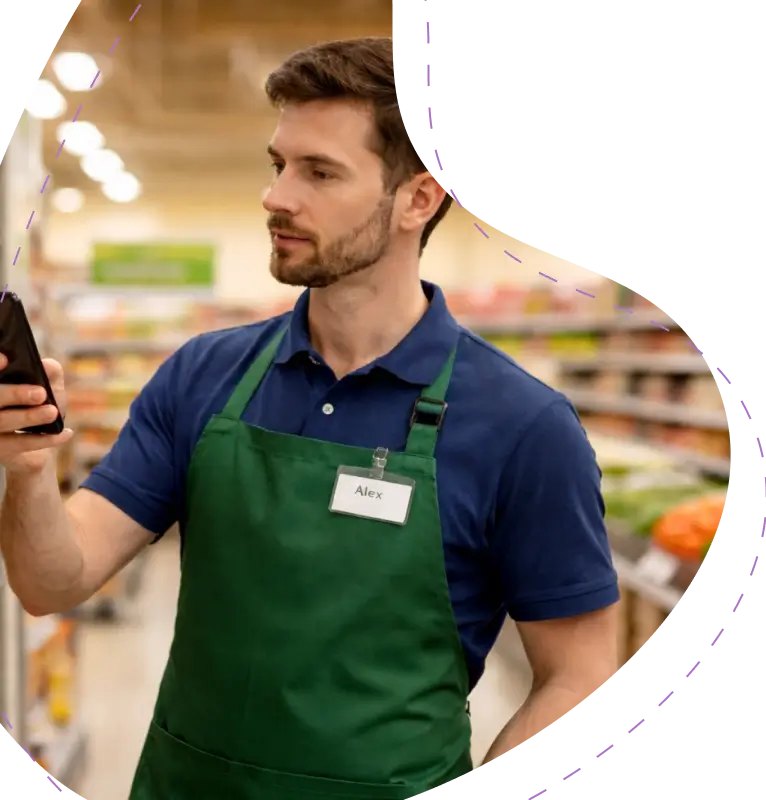
Standardize how audits are conducted, capture findings instantly, and ensure nothing falls through the cracks, no matter how many sites you operate.
2M+ users each month

Why Operational Audits Break Down at Scale

31% Audits Left Incomplete | 36% Locations With Compliance Gaps | 20 Open Findings | 28 Corrective Actions Pending
40%
Variation in audit execution across locations
Different sites follow different audit procedures. Without a standardized workflow, audit quality varies wildly, and comparing results across regions becomes impossible.
1 in 3
Audit findings are never closed within the same audit cycle
Findings get recorded but never resolved. Without clear ownership, action plans disappear between shift changes, and the same issues resurface every cycle.
72
hours
Average delay before audit findings reach decision makers
When audit reports take days to reach managers, critical findings sit unresolved. The gap between data capture and corrective action is where risk compounds.
64%
Locations lack real-time compliance visibility
Managers have no live view of where each site stands. Compliance data sits in spreadsheets, updated inconsistently, and outdated by the time anyone compiles it.

What Changes When Audits Go Digital

See how teams operate before and after moving to a structured digital audit workflow.

Without KNOW

With KNOW

Audit procedures vary by location with no standard process, making it impossible to evaluate performance consistently

Every location follows one structured template, ensuring consistent audit procedures and comparable quality across all sites.

Findings get recorded on paper or local spreadsheets, reaching managers days later with no supporting evidence.

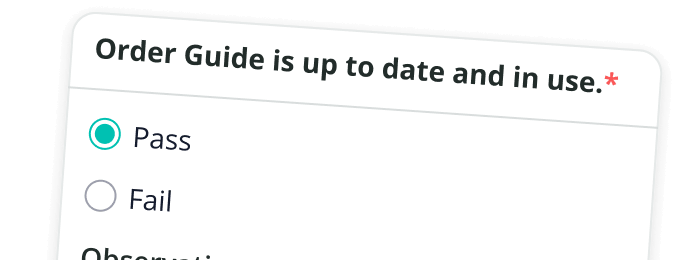
Findings are captured live on mobile with photos, notes, and timestamps, giving managers immediate access to complete audit evidence.

No clear ownership on corrective actions, so follow-up gets lost between shifts.

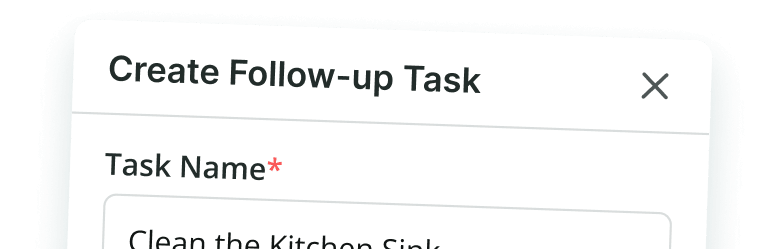
Tasks auto-assigned to responsible team members with clear deadlines, so every corrective action has built-in accountability.

Compliance gaps only surface during periodic inspections, leaving weeks of undetected risk.

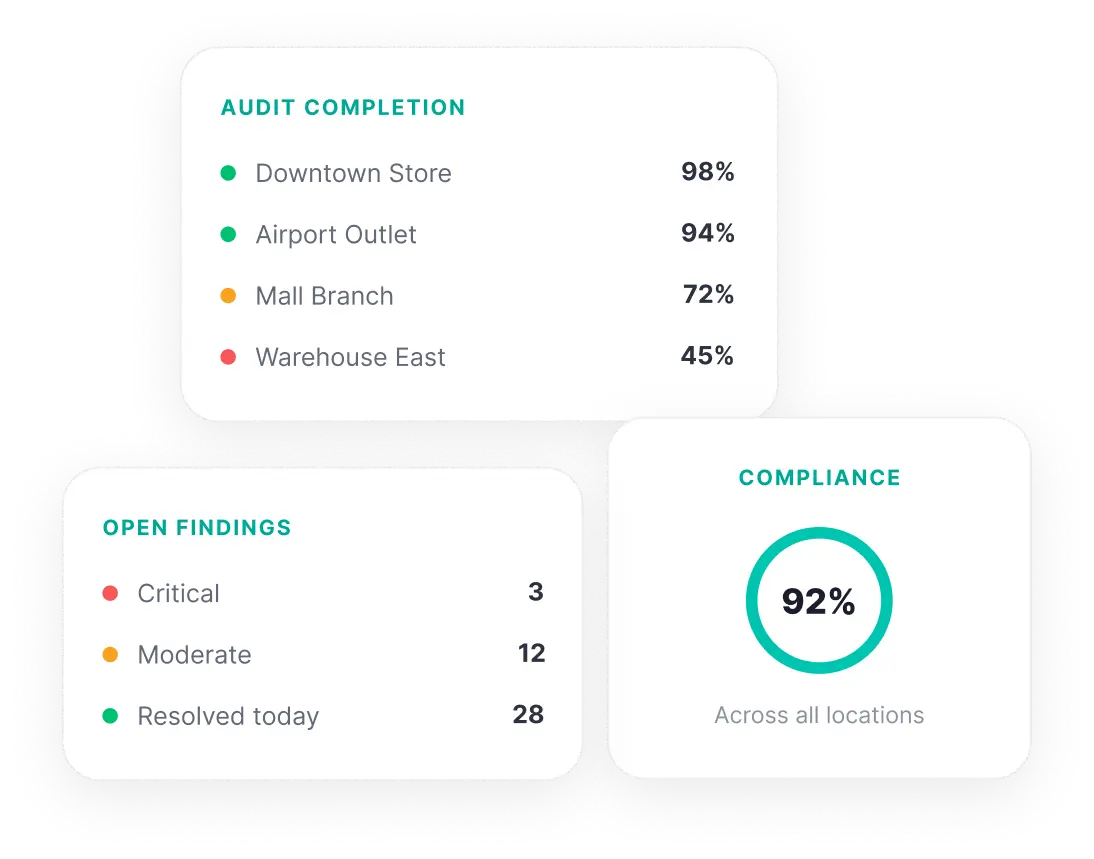
Instant visibility into compliance at every site through centralized dashboards.

No way to compare audit outcomes or identify patterns over time.

Reporting tracks audit findings, completion rates, and trends, turning scattered data into actionable recommendations.

Streamline Audits From Start to Resolution
See how teams operate before and after moving to a structured digital audit workflow.
01
Conduct Audits Consistently Across Locations
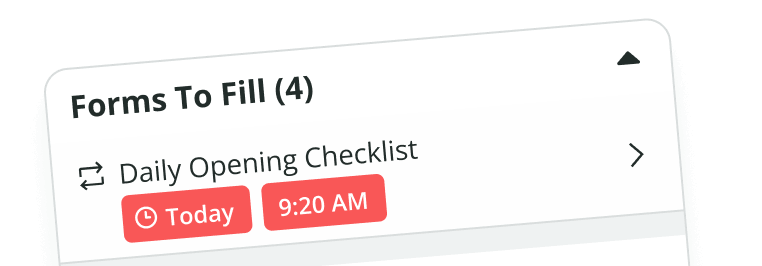
Deploy structured digital audit templates to every site from a single dashboard. Every team member follows the same procedures on their mobile device.
02
Capture Findings Instantly During Inspections
Record observations, attach photos, and add notes during the audit. Every finding includes timestamped documentation and visual evidence captured on the spot.
03
Turn Findings Into Tracked Actions
Deploy structured digital audit templates to every site from a single dashboard. Every team member follows the same procedures on their mobile device.
04
Monitor Progress Across All Locations
Track audit completion, open findings, and resolution timelines from one dashboard. Spot patterns and direct support where it is needed most.

What Teams Actually Use KNOW For

Concrete scenarios where teams run audits and inspections across industries.

<svg width="40" height="40" viewBox="0 0 40 40" fill="none" xmlns="http://www.w3.org/2000/svg">
<path d="M6.66675 23.3359H36.6667" stroke="#7402FF" stroke-width="2.5" stroke-linecap="round" stroke-linejoin="round"/>
<path d="M8.33325 36.6693L9.88419 35.1183C10.7655 34.2371 11.2061 33.7964 11.7613 33.5459C12.3165 33.2953 12.9385 33.2564 14.1824 33.1788L19.6031 32.8399C22.2673 32.6734 23.5994 32.5901 24.7716 32.0273C25.9439 31.4643 26.8418 30.4766 28.6373 28.5014L33.3333 23.3359H27.4999L24.5118 26.3241C24.3131 26.5228 24.2136 26.6223 24.1103 26.7099C23.5786 27.1616 22.9186 27.4349 22.2234 27.4916C22.0881 27.5026 21.9476 27.5026 21.6666 27.5026M21.6666 27.5026C21.6666 26.7281 21.6666 26.3409 21.6026 26.0189C21.3396 24.6966 20.3059 23.6629 18.9836 23.3999C18.6616 23.3359 18.2744 23.3359 17.4999 23.3359H16.1974C14.4557 23.3359 13.5848 23.3359 12.7682 23.5459C12.1599 23.7023 11.5768 23.9438 11.0361 24.2633C10.3102 24.6923 9.6944 25.3081 8.46282 26.5398L3.33325 31.6693M21.6666 27.5026H15.8333" stroke="#7402FF" stroke-width="2.5" stroke-linecap="round" stroke-linejoin="round"/>
<path d="M8.33325 19.1693C8.33325 11.8055 14.3028 5.83594 21.6666 5.83594M21.6666 5.83594C29.0304 5.83594 34.9999 11.8055 34.9999 19.1693M21.6666 5.83594V3.33594" stroke="#7402FF" stroke-width="2.5" stroke-linecap="round" stroke-linejoin="round"/>
</svg>

‍

Food Safety Audits
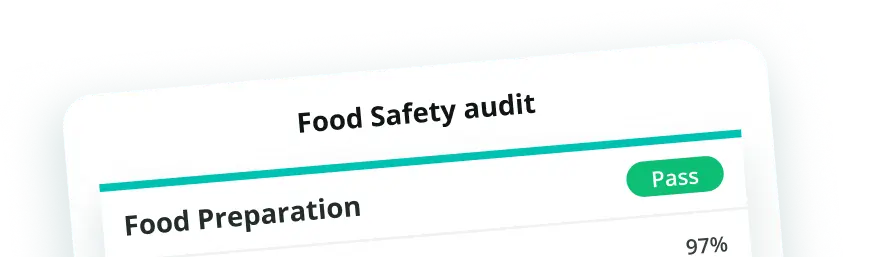
Standardize food safety checks across every kitchen and storage area with scored templates and photo evidence.

<svg width="40" height="40" viewBox="0 0 40 40" fill="none" xmlns="http://www.w3.org/2000/svg">
<path d="M4.16666 15H10.8333" stroke="#7402FF" stroke-width="2.5" stroke-linecap="round" stroke-linejoin="round"/>
<path d="M4.16675 23.3359H10.8334" stroke="#7402FF" stroke-width="2.5" stroke-linecap="round" stroke-linejoin="round"/>
<path d="M4.16675 6.66406H30.8334" stroke="#7402FF" stroke-width="2.5" stroke-linecap="round" stroke-linejoin="round"/>
<path d="M30.8926 28.3899L35.8334 33.3307M33.3334 22.4974C33.3334 17.8951 29.6024 14.1641 25.0001 14.1641C20.3977 14.1641 16.6667 17.8951 16.6667 22.4974C16.6667 27.0997 20.3977 30.8307 25.0001 30.8307C29.6024 30.8307 33.3334 27.0997 33.3334 22.4974Z" stroke="#7402FF" stroke-width="2.5" stroke-linecap="round" stroke-linejoin="round"/>
</svg>

‍

Equipment Inspections
Verify machine conditions before each shift, track maintenance needs, and maintain a complete audit history per asset.

<svg width="40" height="40" viewBox="0 0 40 40" fill="none" xmlns="http://www.w3.org/2000/svg">
<path d="M31.6667 18.3359V16.6693C31.6667 10.3839 31.6667 7.24119 29.714 5.28855C27.7615 3.33594 24.6187 3.33594 18.3333 3.33594C12.0479 3.33594 8.90525 3.33594 6.95262 5.28855C5 7.24119 5 10.3839 5 16.6693V23.3359C5 29.6213 5 32.7641 6.95262 34.7166C8.90525 36.6693 12.0479 36.6693 18.3333 36.6693" stroke="#7402FF" stroke-width="2.5" stroke-linecap="round" stroke-linejoin="round"/>
<path d="M35.0001 36.6693L32.1429 33.8121M33.0952 29.0503C33.0952 32.2061 30.5369 34.7644 27.3811 34.7644C24.2251 34.7644 21.6667 32.2061 21.6667 29.0503C21.6667 25.8943 24.2251 23.3359 27.3811 23.3359C30.5369 23.3359 33.0952 25.8943 33.0952 29.0503Z" stroke="#7402FF" stroke-width="2.5" stroke-linecap="round"/>
<path d="M11.6667 11.6641H25.0001M11.6667 18.3307H18.3334" stroke="#7402FF" stroke-width="2.5" stroke-linecap="round" stroke-linejoin="round"/>
</svg>

‍

Brand Standard Audits
Score signage, merchandising, cleanliness, and staff presentation consistently at every customer-facing location.

<svg width="40" height="40" viewBox="0 0 40 40" fill="none" xmlns="http://www.w3.org/2000/svg">
<path d="M5.83325 16.6641V24.9974C5.83325 29.7114 5.83325 32.0684 7.2977 33.5329C8.76217 34.9974 11.1192 34.9974 15.8333 34.9974H24.1666C28.8806 34.9974 31.2377 34.9974 32.7021 33.5329C34.1666 32.0684 34.1666 29.7114 34.1666 24.9974V16.6641" stroke="#7402FF" stroke-width="2.5" stroke-linecap="round" stroke-linejoin="round"/>
<path d="M28.3332 12.5024C28.3332 14.8036 26.4677 16.666 24.1666 16.666C21.8654 16.666 19.9999 14.8005 19.9999 12.4993C19.9999 14.8005 18.1344 16.666 15.8333 16.666C13.5321 16.666 11.6666 14.8005 11.6666 12.4993C11.6666 14.8005 9.71081 16.666 7.29824 16.666C5.99963 16.666 4.83336 16.1255 4.03323 15.2675C2.65759 13.7924 3.54258 11.6228 4.69069 9.98008L5.33659 9.0969C6.80633 7.08722 7.54119 6.08238 8.60811 5.54095C9.67503 4.99952 10.9199 4.99968 13.4097 5.00002L26.5917 5.00177C29.0807 5.0021 30.3252 5.00227 31.3917 5.54368C32.4582 6.0851 33.1929 7.08962 34.6622 9.09867L35.3091 9.9832C36.4572 11.6259 37.3422 13.7955 35.9666 15.2706C35.1664 16.1286 34.0002 16.669 32.7016 16.669C30.2889 16.669 28.3332 14.8036 28.3332 12.5024Z" stroke="#7402FF" stroke-width="2.5" stroke-linecap="round" stroke-linejoin="round"/>
<path d="M24.9952 28.3359C23.8555 29.3479 22.0412 30.0026 19.9975 30.0026C17.9538 30.0026 16.1396 29.3479 15 28.3359" stroke="#7402FF" stroke-width="2.5" stroke-linecap="round" stroke-linejoin="round"/>
</svg>

‍

Store Compliance Reviews
Run regulatory compliance checks and customer-facing reviews on a recurring schedule with tracked completion rates.

<svg width="40" height="40" viewBox="0 0 40 40" fill="none" xmlns="http://www.w3.org/2000/svg">
<path d="M31.1813 5.82817C28.0275 4.25897 24.1682 3.33594 20 3.33594C15.8318 3.33594 11.9725 4.25897 8.8186 5.82817C7.27197 6.5977 6.49865 6.98247 5.74933 8.19224C5 9.40202 5 10.5734 5 12.9162V18.7311C5 28.2034 12.5706 33.4699 16.955 35.7256C18.1778 36.3548 18.7892 36.6693 20 36.6693C21.2108 36.6693 21.8222 36.3548 23.0448 35.7256C27.4293 33.4699 35 28.2034 35 18.7311V12.9162C35 10.5734 35 9.40204 34.2507 8.19224C33.5013 6.98245 32.728 6.5977 31.1813 5.82817Z" stroke="#7402FF" stroke-width="2.5" stroke-linecap="round" stroke-linejoin="round"/>
<path d="M25 18.3359C25 21.0973 22.7615 23.3359 20 23.3359C17.2385 23.3359 15 21.0973 15 18.3359C15 15.5745 17.2385 13.3359 20 13.3359C22.7615 13.3359 25 15.5745 25 18.3359Z" stroke="#7402FF" stroke-width="2.5" stroke-linecap="round" stroke-linejoin="round"/>
</svg>

‍

Safety Walkthrough
Conduct hazard identification and PPE compliance checks, assign corrective actions on the spot, and track resolution.

<svg width="40" height="40" viewBox="0 0 40 40" fill="none" xmlns="http://www.w3.org/2000/svg">
<path d="M16.6667 15V18.3333" stroke="#7402FF" stroke-width="2.5" stroke-linecap="round"/>
<path d="M28.3333 33.3307C30.1743 33.3307 31.6667 31.8383 31.6667 29.9974C31.6667 28.1564 30.1743 26.6641 28.3333 26.6641C26.4924 26.6641 25 28.1564 25 29.9974C25 31.8383 26.4924 33.3307 28.3333 33.3307Z" stroke="#7402FF" stroke-width="2.5"/>
<path d="M11.6666 33.3307C13.5075 33.3307 14.9999 31.8383 14.9999 29.9974C14.9999 28.1564 13.5075 26.6641 11.6666 26.6641C9.82564 26.6641 8.33325 28.1564 8.33325 29.9974C8.33325 31.8383 9.82564 33.3307 11.6666 33.3307Z" stroke="#7402FF" stroke-width="2.5"/>
<path d="M8.33325 29.9514C6.50539 29.8604 5.36509 29.5884 4.55364 28.7771C3.33325 27.5566 3.33325 25.5924 3.33325 21.6641V14.9974C3.33325 11.069 3.33325 9.10485 4.55364 7.88445C5.77404 6.66406 7.73822 6.66406 11.6666 6.66406H17.1666C19.0279 6.66406 19.9586 6.66406 20.7118 6.90878C22.2339 7.40336 23.4273 8.5968 23.9219 10.119C24.1666 10.8721 24.1666 11.8028 24.1666 13.6641C24.1666 14.9049 24.1666 15.5253 24.3298 16.0274C24.6594 17.0422 25.4551 17.8379 26.4699 18.1676C26.9719 18.3307 27.5924 18.3307 28.8333 18.3307H36.6666V21.6641C36.6666 25.5924 36.6666 27.5566 35.4463 28.7771C34.6348 29.5884 33.4944 29.8604 31.6666 29.9514M14.9999 29.9974H24.9999" stroke="#7402FF" stroke-width="2.5" stroke-linecap="round" stroke-linejoin="round"/>
<path d="M24.1667 10H27.202C29.6277 10 30.8403 10 31.8273 10.5895C32.8143 11.179 33.3893 12.2469 34.5393 14.3825L36.6667 18.3333" stroke="#7402FF" stroke-width="2.5" stroke-linecap="round" stroke-linejoin="round"/>
<path d="M10 15V18.3333" stroke="#7402FF" stroke-width="2.5" stroke-linecap="round"/>
</svg>

‍

Logistics Audits
Inspect vehicles, verify route compliance, and audit cold chain documentation with timestamped digital records.

<svg width="40" height="40" viewBox="0 0 40 40" fill="none" xmlns="http://www.w3.org/2000/svg">
<path d="M13.3333 36.6667H9.99998C6.85728 36.6667 5.28593 36.6667 4.30963 35.6903C3.33331 34.714 3.33331 33.1427 3.33331 30V26.6667C3.33331 23.524 3.33331 21.9527 4.30963 20.9763C5.28593 20 6.85728 20 9.99998 20H13.3333C16.476 20 18.0473 20 19.0236 20.9763C20 21.9527 20 23.524 20 26.6667V30C20 33.1427 20 34.714 19.0236 35.6903C18.0473 36.6667 16.476 36.6667 13.3333 36.6667Z" stroke="#7402FF" stroke-width="2.5" stroke-linecap="round" stroke-linejoin="round"/>
<path d="M10 25H13.3333" stroke="#7402FF" stroke-width="2.5" stroke-linecap="round" stroke-linejoin="round"/>
<path d="M29.9999 3.33594C26.3181 3.33594 23.3333 6.3508 23.3333 10.0698C23.3333 12.1964 24.1666 13.8498 25.8333 15.3268C27.0081 16.3678 28.4313 18.0969 29.2856 19.4984C29.6954 20.1706 30.2749 20.1706 30.7143 19.4984C31.6119 18.1248 32.9918 16.3678 34.1666 15.3268C35.8333 13.8498 36.6666 12.1964 36.6666 10.0698C36.6666 6.3508 33.6818 3.33594 29.9999 3.33594Z" stroke="#7402FF" stroke-width="2.5" stroke-linejoin="round"/>
<path d="M30 25V30C30 33.1427 30 34.714 29.219 35.6903C28.4732 36.6225 27.2935 36.6647 25 36.6665" stroke="#7402FF" stroke-width="2.5" stroke-linecap="round" stroke-linejoin="round"/>
<path d="M30.2083 10.0026H29.9999M30.4166 10.0026C30.4166 10.2327 30.2301 10.4193 29.9999 10.4193C29.7698 10.4193 29.5833 10.2327 29.5833 10.0026C29.5833 9.77249 29.7698 9.58594 29.9999 9.58594C30.2301 9.58594 30.4166 9.77249 30.4166 10.0026Z" stroke="#7402FF" stroke-width="2.5" stroke-linecap="round" stroke-linejoin="round"/>
</svg>

‍

Facility Condition Audits
Audit building conditions, flag repair needs, and track resolution timelines to keep every site in working order.

<svg width="40" height="40" viewBox="0 0 40 40" fill="none" xmlns="http://www.w3.org/2000/svg">
<path d="M17.5 3.33594V6.66927M22.5 3.33594V6.66927M13.3333 10.8359H10M13.3333 15.8359H10M30 10.8359H26.6667M30 15.8359H26.6667M22.2222 6.66927H17.7778C15.6827 6.66927 14.6351 6.66927 13.9842 7.32014C13.3333 7.97102 13.3333 9.01859 13.3333 11.1137V15.5582C13.3333 17.6533 13.3333 18.7009 13.9842 19.3518C14.6351 20.0026 15.6827 20.0026 17.7778 20.0026H22.2222C24.3173 20.0026 25.365 20.0026 26.0158 19.3518C26.6667 18.7009 26.6667 17.6533 26.6667 15.5582V11.1137C26.6667 9.01859 26.6667 7.97102 26.0158 7.32014C25.365 6.66927 24.3173 6.66927 22.2222 6.66927Z" stroke="#7402FF" stroke-width="2.5" stroke-linecap="round" stroke-linejoin="round"/>
<path d="M6.02887 36.5372C6.33515 36.6641 6.72343 36.6641 7.5 36.6641C8.27657 36.6641 8.66485 36.6641 8.97113 36.5372C9.37952 36.3681 9.70398 36.0436 9.87313 35.6352C10 35.3289 10 34.9406 10 34.1641C10 33.3876 10 32.9992 9.87313 32.6929C9.70398 32.2846 9.37952 31.9601 8.97113 31.7909C8.66485 31.6641 8.27657 31.6641 7.5 31.6641C6.72343 31.6641 6.33515 31.6641 6.02887 31.7909C5.62048 31.9601 5.29602 32.2846 5.12687 32.6929C5 32.9992 5 33.3876 5 34.1641C5 34.9406 5 35.3289 5.12687 35.6352C5.29602 36.0436 5.62048 36.3681 6.02887 36.5372Z" stroke="#7402FF" stroke-width="2.5" stroke-linejoin="round"/>
<path d="M18.5288 36.5372C18.8352 36.6641 19.2235 36.6641 20 36.6641C20.7765 36.6641 21.1648 36.6641 21.4712 36.5372C21.8795 36.3681 22.204 36.0436 22.3732 35.6352C22.5 35.3289 22.5 34.9406 22.5 34.1641C22.5 33.3876 22.5 32.9992 22.3732 32.6929C22.204 32.2846 21.8795 31.9601 21.4712 31.7909C21.1648 31.6641 20.7765 31.6641 20 31.6641C19.2235 31.6641 18.8352 31.6641 18.5288 31.7909C18.1205 31.9601 17.796 32.2846 17.6268 32.6929C17.5 32.9992 17.5 33.3876 17.5 34.1641C17.5 34.9406 17.5 35.3289 17.6268 35.6352C17.796 36.0436 18.1205 36.3681 18.5288 36.5372Z" stroke="#7402FF" stroke-width="2.5" stroke-linejoin="round"/>
<path d="M20 31.6667V20" stroke="#7402FF" stroke-width="2.5" stroke-linecap="round" stroke-linejoin="round"/>
<path d="M7.5 31.6693C7.5 29.3284 7.5 28.1581 8.06177 27.3174C8.30497 26.9534 8.61747 26.6409 8.98143 26.3978C9.82218 25.8359 10.9926 25.8359 13.3333 25.8359H26.6667C29.0075 25.8359 30.1778 25.8359 31.0185 26.3978C31.3825 26.6409 31.695 26.9534 31.9382 27.3174C32.5 28.1581 32.5 29.3284 32.5 31.6693" stroke="#7402FF" stroke-width="2.5" stroke-linecap="round" stroke-linejoin="round"/>
<path d="M31.0288 36.5372C31.3352 36.6641 31.7235 36.6641 32.5 36.6641C33.2765 36.6641 33.6648 36.6641 33.9712 36.5372C34.3795 36.3681 34.704 36.0436 34.8732 35.6352C35 35.3289 35 34.9406 35 34.1641C35 33.3876 35 32.9992 34.8732 32.6929C34.704 32.2846 34.3795 31.9601 33.9712 31.7909C33.6648 31.6641 33.2765 31.6641 32.5 31.6641C31.7235 31.6641 31.3352 31.6641 31.0288 31.7909C30.6205 31.9601 30.296 32.2846 30.1268 32.6929C30 32.9992 30 33.3876 30 34.1641C30 34.9406 30 35.3289 30.1268 35.6352C30.296 36.0436 30.6205 36.3681 31.0288 36.5372Z" stroke="#7402FF" stroke-width="2.5" stroke-linejoin="round"/>
</svg>

‍

Operational SOP Reviews
Audit SOP adherence at the store level, identify process gaps, and monitor operational effectiveness over time.

What Our
Customers
Say

"KNOW is a divine source/tool for us for tightening communication and ensuring that everyone stays aligned with our company's goals. With all information at our fingertips, we have such ease in making sure that everything in the company is in the KNOW of the latest updates!"that everyone stays aligned..."
Domino’s Pizza
"KNOW has been the most efficient tool for tightening communication and ensuring that everyone stays aligned..."
Adidas
"The KNOW app is instrumental to help improve performance and interactions at restaurants, in an inspiring environment..."
OLA
"The KNOW app is revolutionizing the experience of our frontline spaces."
APMC Head of Open Foodposts
"KNOW is a divine source/tool for us for tightening communication and ensuring that everyone stays aligned with our company's goals. With all information at our fingertips, we have such ease in making sure that everything in the company is in the KNOW of the latest updates!"that everyone stays aligned..."
Domino’s Pizza
"KNOW has been the most efficient tool for tightening communication and ensuring that everyone stays aligned..."
Adidas
"The KNOW app is instrumental to help improve performance and interactions at restaurants, in an inspiring environment..."
OLA
"The KNOW app is revolutionizing the experience of our frontline spaces."
APMC Head of Open Foodposts

Frequently Asked Questions
?

1. What is a centralized audit system and why does it matter for multi-location operations?

A centralized audit system gives operations teams one place to plan audits, run inspections, assign corrective actions, and track closure across every location. Instead of each site running its own procedures, a centralized system gives your audit team one consistent process with standardized internal controls. With KNOW, every location uses the same digital templates, and all findings, corrective actions, and completion data flow into one dashboard. The system also scales as your organization grows, so adding new locations does not mean rebuilding audit procedures from scratch.

2. How does KNOW help improve audit quality across locations?

Audit quality depends on consistent procedures and reliable data capture. Every audit in KNOW follows a structured digital template, so the process is identical whether conducted by an experienced manager or new staff. Team members capture findings on mobile with photos, notes, and timestamps, creating complete audit evidence for every item. Findings convert into assigned action plans with tracked deadlines. Over time, this consistent data capture gives your audit team valuable insights into which locations or departments need the most support.

3. What is a multi-location audit, and how does KNOW support it?

A multi-location audit runs consistently across multiple sites, whether five retail stores or five hundred restaurant branches. Every location not visited increases audit risk, and inconsistent procedures make it impossible to identify root causes of recurring issues. KNOW lets you build audit templates once and deploy them everywhere. Every site completes audits on the same criteria, and results flow into centralized reports where managers can compare findings, compliance rates, and resolution timelines to assess performance and allocate resources.

4. What types of audits can I run using KNOW?

KNOW supports any internal audit or operational audit your teams conduct on the ground: food safety, brand standards, equipment inspections, safety walkthroughs, store compliance, facility checks, SOP adherence, and more. Each template supports scoring, photo evidence, notes, and follow-up task assignment. KNOW is not designed for financial audits, external statutory audits, or public sector audits. It is built for frontline operational audits, and the platform adapts to the full range of audit types your teams need.

5. How do audit findings in KNOW get resolved instead of just documented?

Without a system that connects findings to corrective actions and tracks them to completion, the same issues resurface every cycle and teams never address root causes. In KNOW, every finding converts into a task assigned to a specific team member with a deadline. The responsible person completes the corrective action with photo evidence and marks it done. Managers track all items from a single dashboard, and automated alerts flag overdue tasks, turning the audit process into a system that delivers actionable recommendations.

6. Can KNOW replace spreadsheets and paper for internal audits?

Yes. Paper audits delay reporting, lose data between shifts, and produce no trend analysis. Spreadsheets depend on manual entry and offer no live visibility across sites. With KNOW, audits are conducted on mobile, findings include photo documentation and timestamps, corrective actions are tracked automatically, and all data flows into centralized reports. The platform works offline, so teams with limited connectivity can complete audits and sync when connected. Eliminating repetitive tasks like manual data entry lets teams focus on analysis and follow up.

7. What is an audit tracking system and how does KNOW function as one?

An audit tracking system monitors what has been audited, what findings were raised, who is responsible for corrective actions, and whether those actions have been completed. In KNOW, every audit is logged with completion data, scores, findings, and follow-up tasks. Dashboards show open vs. resolved findings, completion rates by location, and trend data over time. This visibility into audit outcomes also supports better resource allocation, helping management direct training or support to locations that consistently underperform.

8. How does KNOW help operations managers with audit planning?

KNOW lets you schedule recurring audits (daily, weekly, monthly) for specific locations or teams. Automated reminders notify the audit team when an audit is due, and the dashboard flags missed or overdue items. Templates are reusable and can be updated centrally, so when procedures change, the update rolls out to every site immediately. This ensures audit functions operate on a predictable, organization-wide cadence rather than reacting to problems after they surface.

9. How does KNOW ensure accountability in the audit process?

Audits are assigned to specific employees. Findings are linked to responsible team members with deadlines. Every action has a status visible to managers across departments. Overdue items trigger automated alerts. The system creates a clear chain of responsibility from finding to resolution, with full documentation at every step. This level of accountability is what separates an effective audit program from one that generates reports no one acts on.

10. How do you audit a store using KNOW?

Management creates a digital audit template covering the areas to evaluate: cleanliness, merchandising, safety compliance, staff procedures, or any other relevant criteria. The template is deployed to the location on schedule. The auditor opens it on their mobile device, walks through the store, and scores each item while attaching photos and notes as audit evidence. Any failed item triggers a follow-up task assigned to the responsible employee with a deadline. Results are immediately visible on the centralized dashboard, where managers can compare scores across locations and track corrective action completion.

11. What are the 4 types of audits?

The four primary audit types are compliance audits, operational audits, financial audits, and information systems audits. Compliance audits evaluate adherence to laws, regulations, and internal policies. Operational audits assess the effectiveness of business processes and internal controls. Financial audits examine financial statements and accounting systems. Information systems audits review technology infrastructure and data security. KNOW is designed for compliance and operational audits in frontline environments. It is not built for financial audits or IT systems audits.

12. What are the 5 C's of audit findings?

The 5 C's are Condition, Criteria, Cause, Consequence, and Corrective Action. Condition is what the auditor observed. Criteria is the standard it is measured against. Cause identifies the root cause of the gap. Consequence outlines the risk if unresolved. Corrective Action is the step to fix it. KNOW supports this framework directly: auditors document conditions with photos, scored templates establish criteria, and follow-up tasks capture the corrective action with assigned ownership and deadlines. Centralized reporting helps managers identify recurring causes over time.

13. What are the 4 types of internal audit?

The four types are compliance audits, operational audits, performance audits, and follow-up audits. KNOW supports all four within frontline operations. Compliance and operational audits are conducted using scored templates on mobile. Performance is tracked through completion rates, scores, and trend analysis across locations. Follow-up audits are built into the workflow itself, with every finding linked to a tracked corrective action that must be resolved and documented before it can be closed.

14. What is the best audit software for retail and frontline operations?

The best audit software for frontline operations should do more than collect audit responses. It should help teams standardize audits, capture evidence, assign corrective actions, track closure, and compare performance across locations. KNOW supports that full workflow in one platform, alongside checklists, tasks, training, communication, and reporting for frontline teams. The platform works offline on mobile, supports multi-location deployment, and is used by over 2 million frontline workers.

15. What software is used for audits in frontline operations?

Audit software for frontline operations falls into three categories: general-purpose form builders, standalone audit apps, and integrated operations platforms. Form builders handle basic data capture but lack scoring, photo evidence, and corrective action tracking. Standalone audit apps cover inspections but do not connect to task management, training, or communication. KNOW integrates the full audit process within a platform that also manages checklists, tasks, and employee training, keeping all operational data in one centralized system.

16. What makes KNOW different from general-purpose tools for running audits?

General-purpose form and checklist tools can collect data, but they are not built for the end-to-end audit process frontline operations require. They lack scored templates, photo evidence capture, automatic task assignment from findings, tracked corrective actions, and centralized multi-location dashboards. KNOW connects the entire workflow from audit planning to resolution in one platform. It works offline on mobile and supports recurring schedules. For operations managers overseeing compliance at scale, the difference is between a data collection tool and a complete centralized audit system.